Professional Email Signature Templates for Every Need
Browse email templates 4.7 rating, 300+ reviews
 CROWD
CROWD Capterra
 Trustpilot
Find an email signature design template that works best for your needs, customize it fast to match your brand, and add a sharp signature to every email with MySignature.
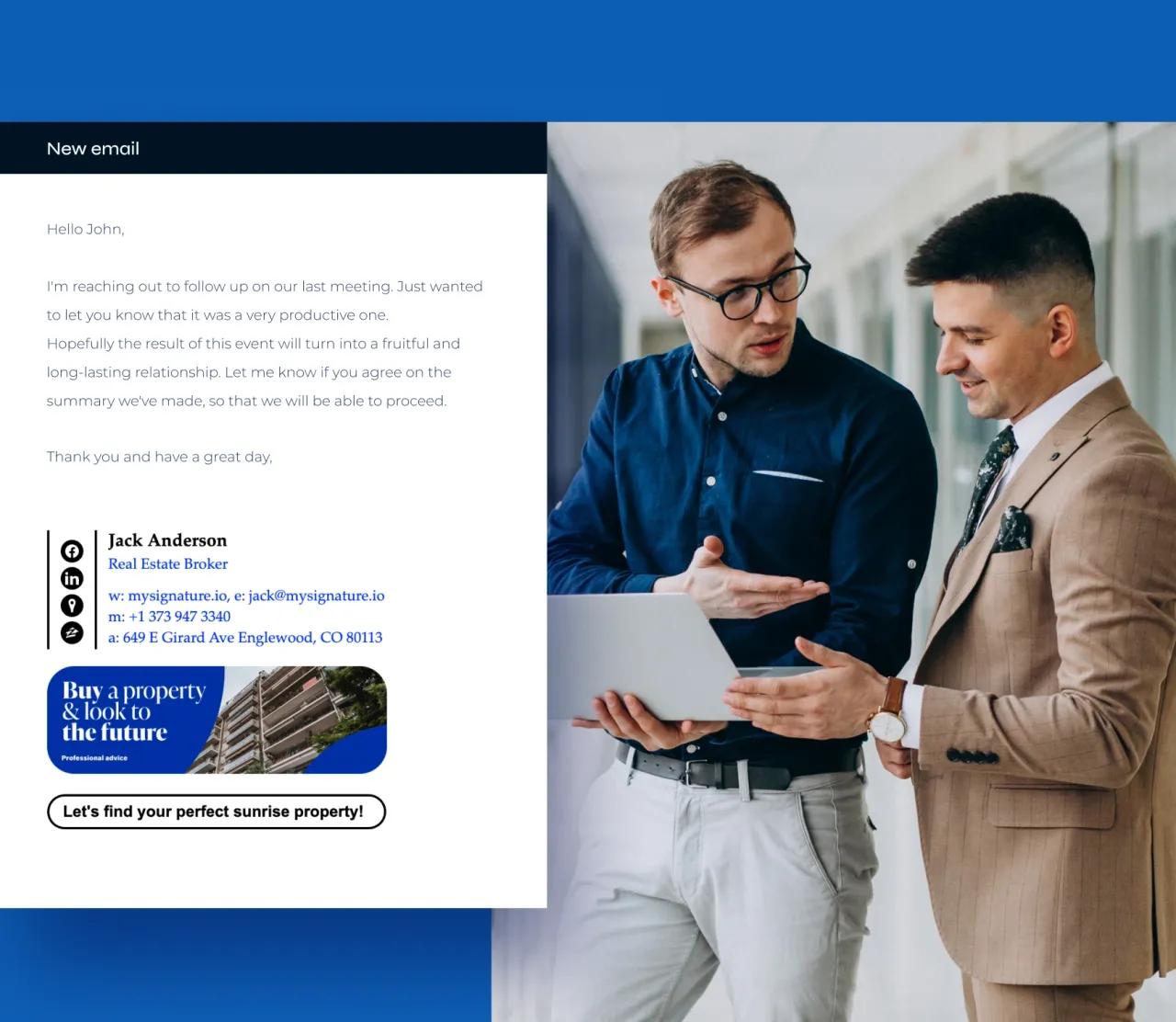
Find email signature template that fits your design style
Browse more templates- Olivia Anderson — Real Estate Broker
 JULIANA SILVA — Real Estate Agent
 Willy Turner — Wanderlust Interiors
 Gannon Powell — of the Municipal Administration
- DANYAL FISHER — at Archer
- Brinley Morris — Morris Co.
 AVA BENNETT — Mindfulness Coach
 Eleanor Waters — Line Design Studio
 JOSEPH COLLINS — of Wastestop Startup
- Martin Smith — Fincompany
 DR. DIANA ADAMS
 Gregory Bennett
Choosing a free email signature template by design style is an easy way to narrow your options to layouts that feel aligned with your brand.
Common design styles include simple email signature templates with generous spacing, colorful layouts built around personality-driven branding, corporate designs with clean alignment, and modern templates with sharper lines and stronger typography. Photography-centered layouts also work well in roles where personal identity plays a major part.
If a template checks most of your boxes but needs a few adjustments, you can tailor it without limitations. MySignature gives you full control to change colors, update icons, modify spacing, and upload your own visuals without touching HTML. Pick the style that feels closest to what you want, then customize the details until the signature reflects your brand accurately.
Find email signature template that fit your role or industry
If you prefer a more functional approach, choosing a business email signature template based on your role or industry helps you focus on layouts that support the information your clients look for most. Different fields communicate differently, so templates built for specific professions usually surface the details that matter in those environments.
Key elements tend to shift depending on the work you do:
Primary details
Sales, consulting, and service roles often highlight calls to action or scheduling links.
Headshots
Real estate, coaching, and other client-facing fields benefit from visible profile photos.
Social presence
Marketing templates usually include room for social media links or featured content.
Certifications
Legal, financial, or technical roles may need structured sections for credentials.
Disclaimers
Some industries require compliance notes placed in a consistent location.
Brand consistency
Company email signature templates often use unified icon styles and layout rules to keep communication cohesive across teams.
These differences reflect how each industry handles communication. Real estate agents depend on visibility, financial advisors prioritize clarity, and creative professionals often benefit from a signature that showcases personality or recent work. A signature for email template aligned with your role keeps important information in the right place and reduces friction for your clients.
All templates in MySignature can be reshaped, so you're never limited by the industry label they start with. You can rearrange sections, switch images, revise text blocks, or add elements that suit your workflow using the customizable email signature templates in the editor. You get the structure you need and the flexibility to adapt it to the way you run your business.
Ready to Make It Yours? Bring Your Email Signature to Life with MySignature
Whether you pick a personal email signature template or a business-focused layout, the next step is creating an email signature that feels connected to your brand. MySignature keeps the process simple. You choose a design you like, customize the elements that matter, and the platform builds a polished signature around your content.
Here’s the exact workflow:
1. Choose a template you like
Click Use template on any design. Remember, it doesn’t need to be a perfect match yet. A template that reflects the general style you want will reduce the number of changes later, but everything can be adjusted.
2. Fill in the basics for auto-population
Before entering the editor, the platform asks for your name, position, industry, website, and top social media profiles. This step autofills the template with provided essentials, so that you get a clean draft to build on.
From there, you'll be taken straight into the easy-to-use editor, where every part of your signature can be refined without touching code.
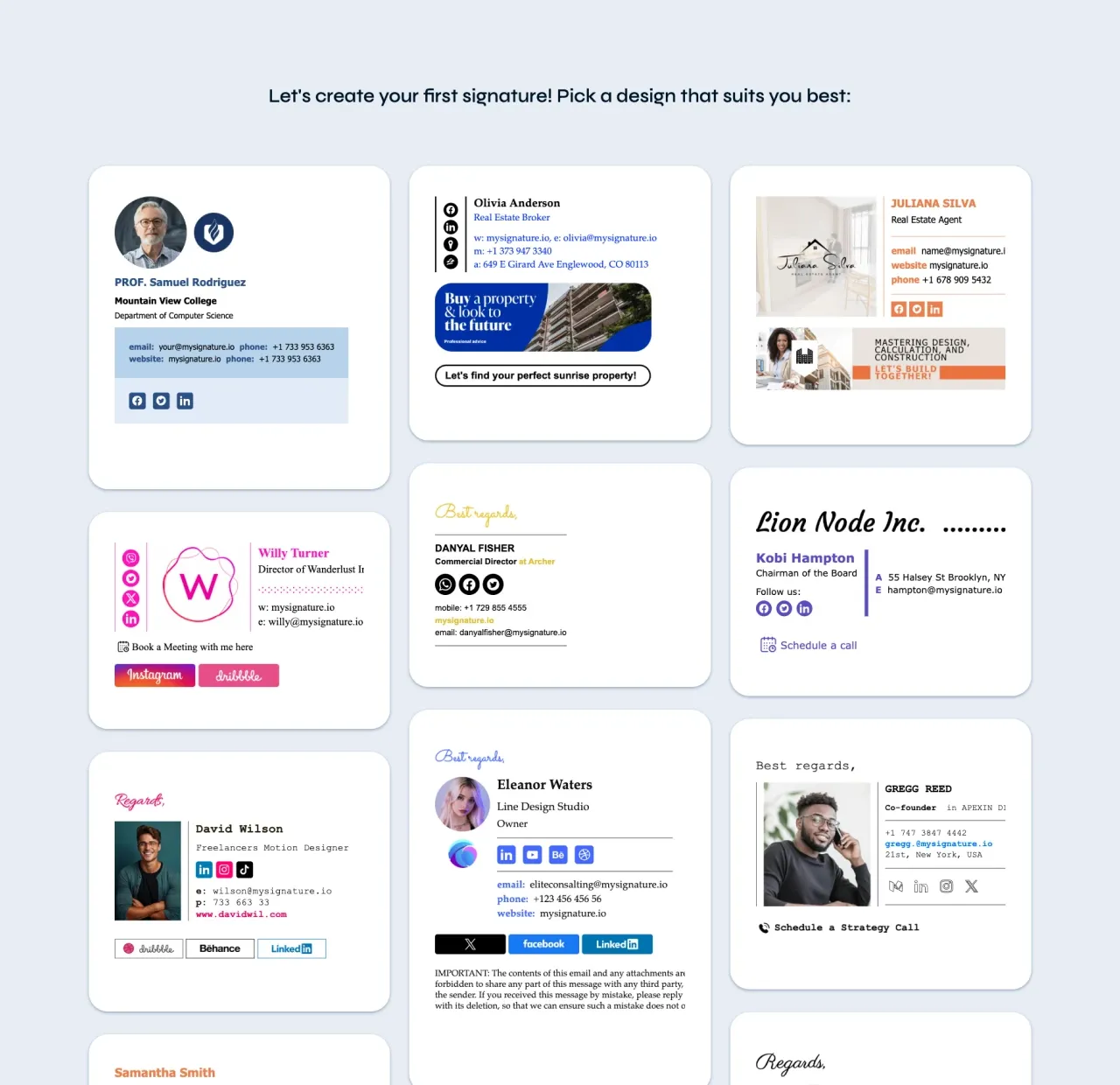
3. Add and organize your contacts in the Details tab
Here you can update:
- Name, pronouns, and job role
- Company and department
- Email address, phone number, website, and additional contact fields
- Custom items you want to showcase
Everything updates instantly, so you always see how the structure responds to your changes.
4. Upload and manage visuals in the Images tab
You can upload up to two images (usually a headshot and logo) and choose whether they should be clickable. You can also include a banner for promotions or announcements. Adjust image width and proportions to make text and images sit naturally together.
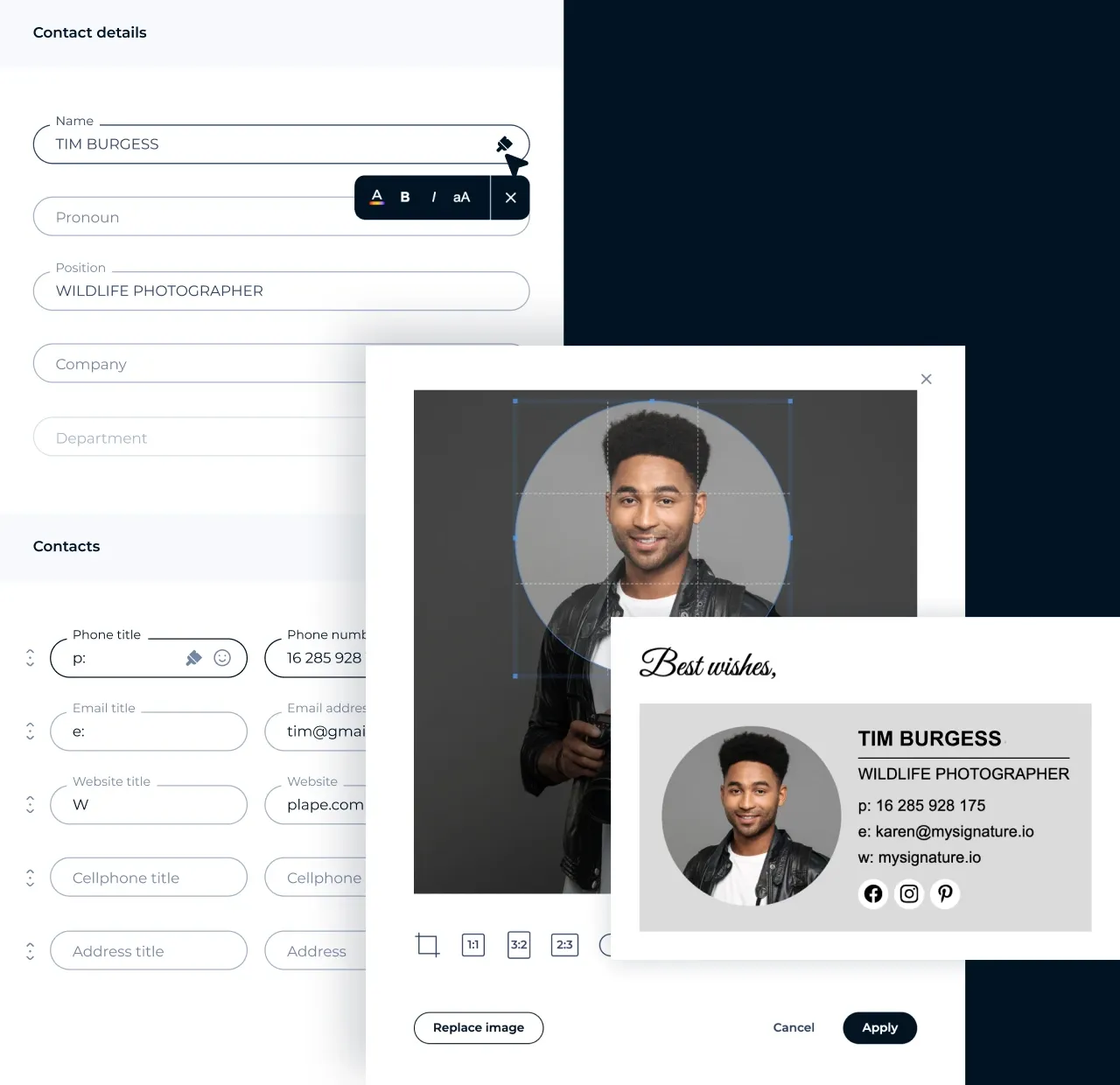
5. Customize social links in the Social tab
Link your accounts and choose the icons you prefer. You can upload custom icons that match your brand or select options from MySignature's gallery of social media icons and emojis.
6. Add optional modules and extra elements
You can extend your signature using modules such as:
- Sign off
- Disclaimer
- Social widgets
- Video conference links
- Green message
- CTA blocks
- Event & Calendar
- Marketplace & Retail links
- Custom HTML
- Business card
These features help you guide recipients to the right places without crowding the layout.
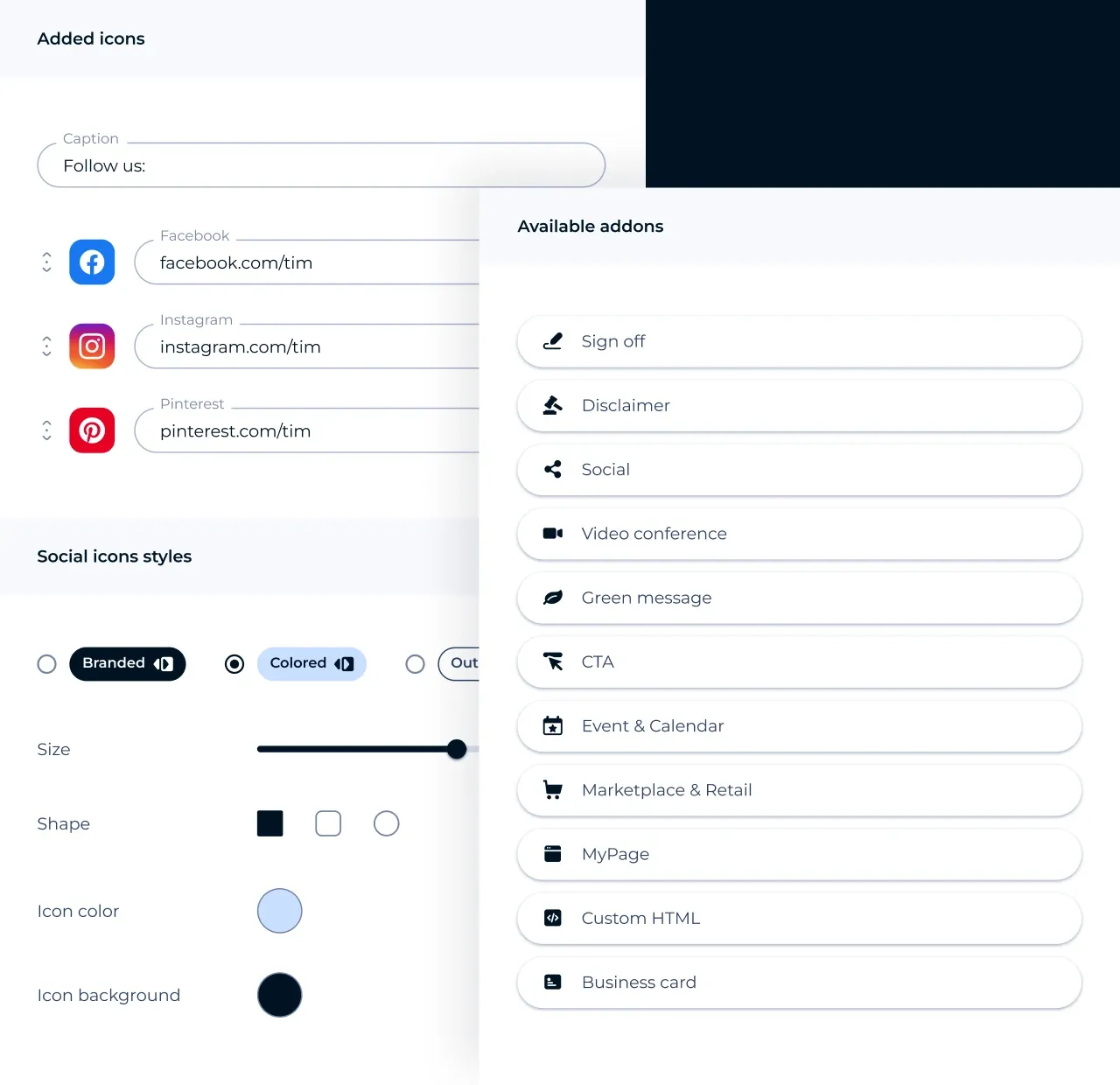
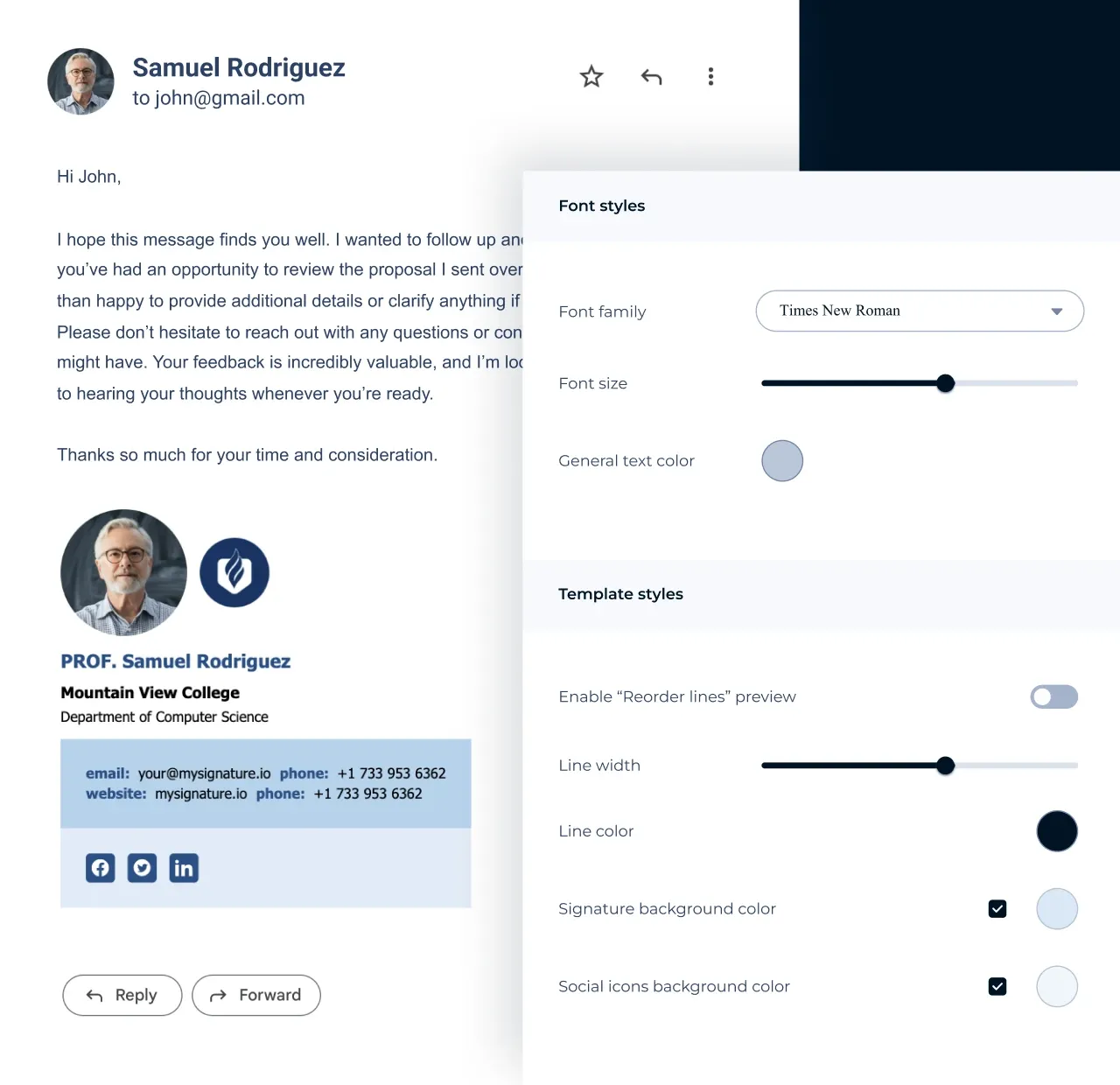
7. Fine-tune the look in the Template tab
Adjust the email signature template's font family and size, color palette, text color, and borders. You can also change the style of your social icons.
These options let you bring your brand identity into the layout without altering the structure of the template.
8. Save and apply your signature
Once everything looks right, save the signature and create an account. You'll get step-by-step instructions for adding it to Gmail, Outlook, Apple Mail, Yahoo, Thunderbird, and other platforms.
Why create your signature with MySignature
Browse email templatesA faster start
Free email signature templates give you a solid base, so you can put your signature together without spending half the day on it.
Room to shape your brand
Adjust colors, fonts, icons, and text and images until the layout reflects the style you use everywhere else.
Consistent look for teams
Central management keeps every employee's sign on-brand without anyone having to rebuild it on their own.
Easy editing on any device
Make changes from your phone, tablet, or desktop and keep the full range of features wherever you're working.
Stronger client communication
Add CTAs, banners, and links that guide people to important pages or services you want to showcase.
Clear insight into engagement
View opens and clicks to see how recipients interact with your signature.
Quick visual upgrades with AI
Use AI enhancements when you want cleaner spacing or a better color balance without tweaking every detail yourself.
F.A.Q
How do I use an email signature template?
Choose any free email signature template in MySignature and click Use template.
In the editor, update your contact fields, upload your headshot or logo, link your social profiles, and adjust the design settings.
Once you're satisfied, save the signature and follow the installation steps for your email client. You can return to the editor anytime to update your information without rebuilding the layout.
Are these templates compatible with Gmail, Outlook, and Apple Mail?
Yes. All of our customizable email signature templates work with major email clients, including Gmail, Outlook, and Apple Mail. After editing the signature, MySignature provides a client-specific installation guide to ensure the formatting stays intact.
Do I need design skills to use MySignature templates?
No. The editor was built for people who don't have a design background. The templates handle the structure, spacing, and hierarchy for you. Your job is simply to add your information and adjust the colors, icons, fonts, and images if you want the layout to match your brand.
How can I pre-populate email signature templates in Outlook so employees can personalize their own details without losing the formatting?
Yes. Create a signature in MySignature and use the Teams feature to manage branding for your organization. This lets you lock the visual style—colors, fonts, banners, icons—while leaving personal fields open for employees to fill in.
MySignature generates a unified signature template that can be deployed through a central panel or shared individually with team members. They’ll only edit their name, role, phone number, and other personal items, and the formatting stays intact.
Is the MySignature generator free to use?
You can create one simple signature for free. This version includes a small MySignature branding line, branded links, and a redirect to the website. It’s a good way to test the platform and see how the editor works. If you want to build more advanced signatures, remove branding, manage multiple signatures, or use team features, you’ll need a paid subscription