
Last Updated on 16.02.2026 by Vasyl Holiney
I can recall the times when a remote team was a small group of individuals on a Slack channel. An email signature was considered an afterthought at that time. You may have seen a name, a phone number and possibly a blurred logo. However, things have been different now. An email signature has become more than a footer. It is a place to reach you with trust and gives you professional identity.
Working remotely has become the norm. Since we do not see each other that often physically, each online communication is more significant. I have observed the effect of a sloppy or disorganized signature on the credibility of a brand. When your sales lead and your support lead have different logos, it does not appear organized. It implies that your team is not necessarily on the same page.
In 2026, it takes more than a name to be a professional. It needs an integrated digital presence. This is where centralized management will be your best friend. This post will demonstrate to you why email signatures are the secret weapon of remote teams this year. I will also tell you how you can utilize the tools such as MySignature.io to ensure that your team remains presentable without the headache.
Key Takeaways
👉 Email signatures are no longer footer, they are your remote team’s digital first impression.
👉 Consistent, centrally managed signatures increase trust and boost response rates.
👉 In 2026, smart signatures are mobile-first, dark-mode friendly, and campaign-ready.
👉 A well-designed signature can generate thousands of brand impressions every month.
👉 Email signatures can function as low-effort marketing channels when used strategically.
Contents:
- Trends of the remote signature market in 2026
- How MySignature solves the remote management puzzle
- How to implement this for your remote team today
The huge influence of professional footer
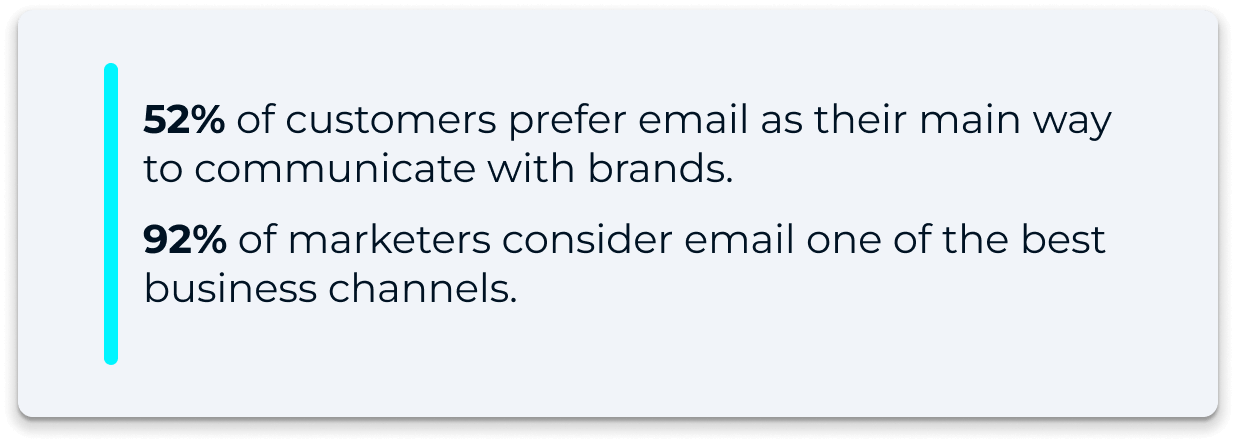
Even in this AI era, email remains at the top in professional communication. Studies indicate that 52% of the customers consider email as their main communication tool with the brands. What’s more impressive is the fact that 92% of marketers believe it is one of the best business channels. You are really sending more than a text when you email. You are mailing a brand image.
A professional signature adds a reliability badge over an individual or a team. Actually, 76% of receivers affirm that a branded signature helps them trust the sender more. It is not only about feeling good. It leads to real results. Organizations with uniform signatures for their teams experience 22% higher response rates.
Consider the volume of emails your team sends. A group of 100 individuals, sending an average of 30 emails per day, can create more than 60,000 impressions monthly. This is free advertising. It is a method to strengthen your brand without paying a dime on advertisements. Each e-mail mailed by your remote team is an opportunity to appear as the expert you are.
Trends of the remote signature market in 2026
The time of static signatures is gone and they are now interactive and adaptive. I am seeing the trend shifting toward smart footers. So what are these? These are signatures that vary depending on the person reading them or the device that they are reading them on.
Dark mode and adaptive design
The majority of professionals now work in the dark mode. A white background box in your signature logo looks awful on a dark screen and creates a visual break. Modern signatures make use of a transparent background with high contrast colors. They fit perfectly into the user settings.
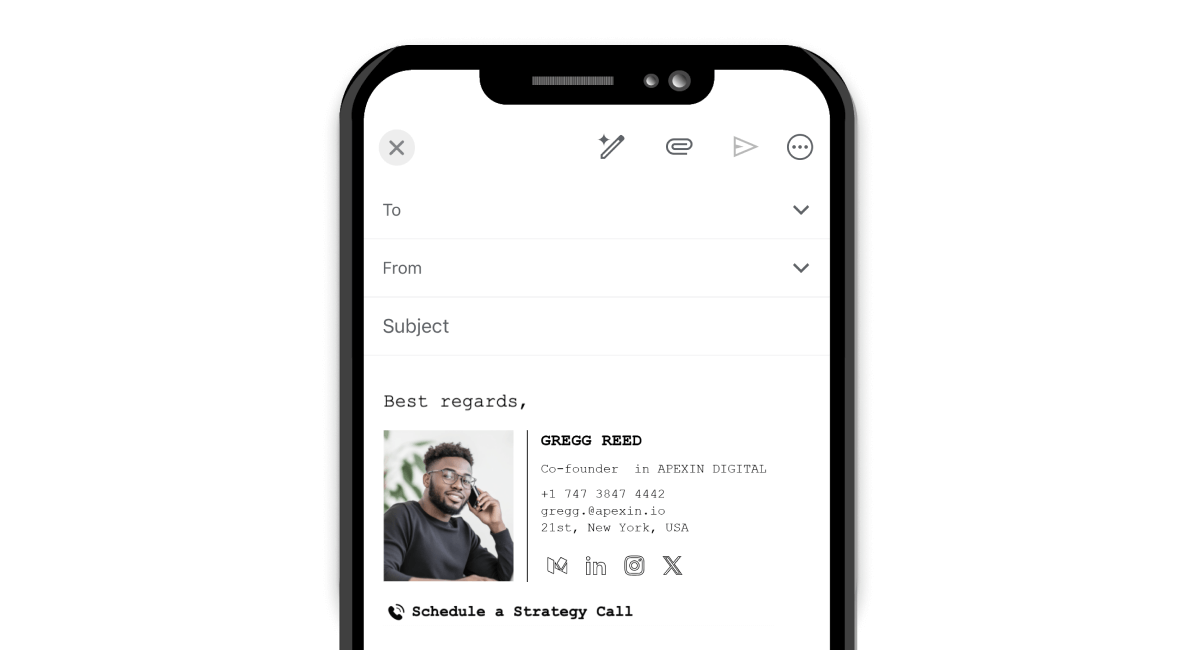
Mobile-first design is also obligatory. More than 50 percent of business correspondence is opened on phones or tablets. When you cannot even tap the links with a thumb, you are not engaging. I would highly suggest tappable buttons instead of small hyperlinks.
The rise of the mini billboard
The new trend makes signatures act as micro-campaign platforms. They include dynamically changing banners instead of mere contact details. You can use such banners to advertise a new product or a webinar. The best thing is that they can be centrally updated. There is no need to make each employee change his/her signature manually.
Minimalism and the oasis of calm
While interactivity is on the rise, clutter is declining. People are tired of “link soup.” The most efficient signatures of 2026 make use of the white space. There is only one thing that they concentrate on. That could be a link to book a meeting or a link to a recent case study. When you provide fewer options to the reader, you are increasing the likelihood of them clicking.
The reason why remote leads cannot compromise on central management
Managing a remote team is like herding cats. Suppose you employ 50 employees in 50 cities, how do you make sure that their signatures are similar? You can’t. Leaving it to them, somebody will use an outdated logo. Another person will use a font that cannot be read.
Brand drift is significant risk in such a situation. It gives the impression of a divided company. It is also a huge time drain for your IT or marketing team. Attempting to manually revise signatures for a hybrid team is a nightmare. It is time consuming, and frequently results in mistakes. Just as you wouldn’t expect your staff to manually manage their own security or a VPN for a Windows PC, you shouldn’t leave your brand’s visual identity to chance.
That is why I support centralized signature management. Services, such as MySignature, enable you to manage everything from a single dashboard. You are able to generate a signature and add it to Gmail or Outlook. When you change your company address, you do it only once and it changes everywhere. In simple terms, it works by creating a branded template and distributing it across employee accounts automatically. Tools like MySignature are commonly used by small businesses, SaaS companies, and marketing or sales teams that rely heavily on email communication. It is suitable when a company needs consistent branding across distributed teams.

Making your signatures your source of income
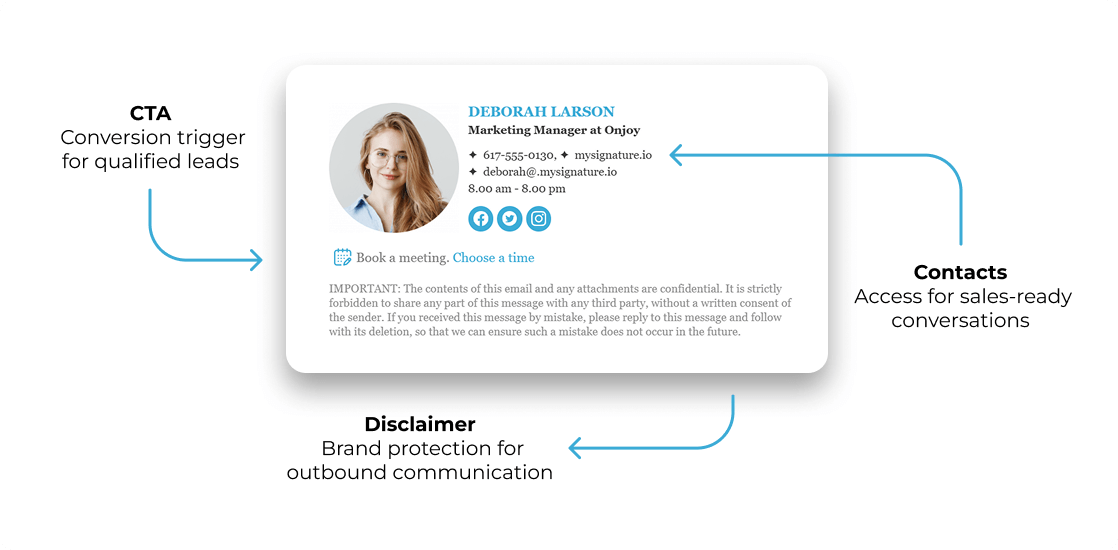
I frequently remind my customers that their signature is their most profitable marketing channel. Sending an email you would have sent anyway does not cost anything. You make each message a lead generator by including a call to action (CTA) banner.
Sales teams are already using customized meeting links in 2026. A “Book a Demo” button within the signature is much more efficient compared to a link found in the body of the email. It is ever present, but it does not seem pushy. It feels helpful.
The statistics of 2026 indicate that signatures with CTAs experience significantly increased engagement as compared to traditional banner ads. The rate of click through is usually many times better since the email has already created a personal attachment. This is the reason why MySignature has tracking features. You are able to know which banners are working and which ones require a redesign.
How MySignature solves the remote management puzzle
I have tried numerous tools, and MySignature is special for its simplicity. It is constructed to suit teams that do not wish to deal with HTML code. You have an editor that just works. It is convenient for remote teams that do not have IT personnel on call in different time zones.
What I like the most is its compatibility with Google Workspace and Microsoft 365, allowing you to deploy consistent signatures across accounts without complex setup. It makes certain that every signature is accurate. No one has to type their own name or title into a box.
MySignature also handles the “dark mode” problem I mentioned earlier. The templates are tested to render correctly on every device. This means your remote team will look professional whether the client is on an iPhone in a coffee shop or a desktop in an office.
The technical side of the perfect footer
A good signature is a lot more than a pretty picture. It is a piece of code. If that code is bad, your email might end up in the spam folder.
Email providers are now more aggressive with spam filters. Large image files are a red flag. It is why you should use HTML signatures with hosted images. It keeps the email file size small and ensures the images load quickly for the recipient.
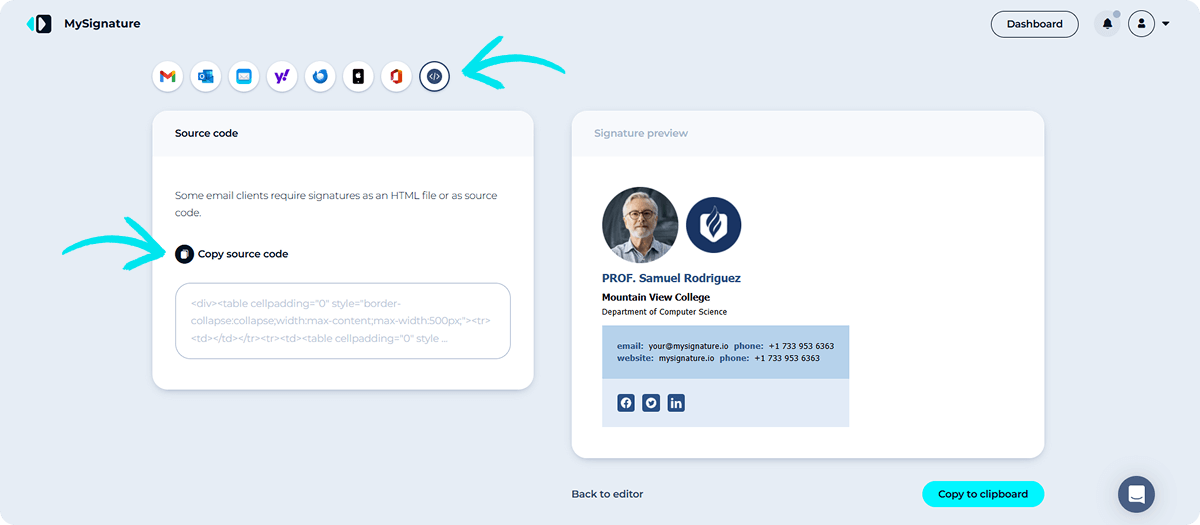
Another technical hurdle is the red X problem. This happens when an email client blocks images. To fix this, you need proper alt-text for every image. If your logo does not load, the recipient should still see your company name in text. MySignature generates clean HTML signatures designed to render properly across major email clients, so you do not need coding skills to maintain a professional look.
Keeping your team compliant with GDPR in 2026
Compliance is not the most exciting topic, but it is essential. In 2026, the General Data Protection Regulation (GDPR) applies to email signatures just as much as it does to websites. Every piece of personal data in a footer must have a legal basis.
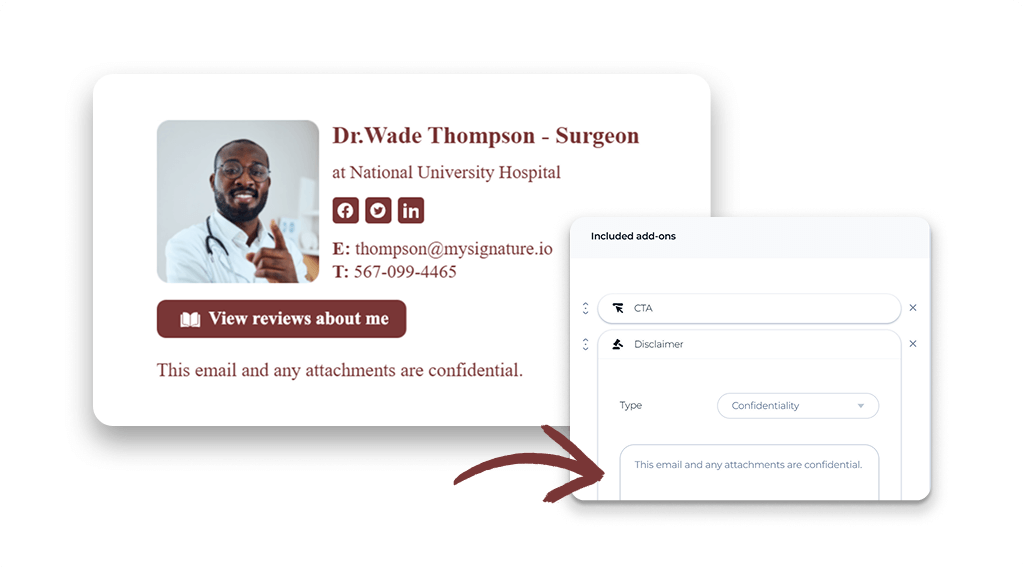
If your team is global, you need to be careful. Some regions require specific disclaimers. Others have strict rules about how you handle contact information. Using a centralized tool allows you to standardize legal disclaimers across the team and update them instantly when regulations change.
I recommend keeping signatures lean. Only include the data that is necessary for the job. This is the principle of “data minimization.” Including a link to your privacy policy in the signature is also a smart move. It shows transparency and builds trust with your recipients.
How to implement this for your remote team today
If you are ready to upgrade your team, start with a signature audit. Look at what your remote employees are currently using. You will likely find a mess of different fonts and old logos.
Next, choose a template that matches your brand identity. Keep it simple and focused. I suggest using a professional headshot for remote workers. Since we don’t see each other in person, a photo humanizes the sender. It builds a bridge that text alone cannot.

Finally, use a tool like MySignature to roll it out. Do not ask your team to do it themselves. Use the centralized dashboard to push the update. This ensures 100% adoption and a perfect look from day one.
Conclusion
Your email signature is a small detail that makes a massive impact. In a remote-first world, it is your digital business card, your brand ambassador, and a marketing machine.
By taking control of your team’s signatures in 2026, you are choosing professionalism over chaos. You are choosing trust over inconsistency. Most importantly, you are making it easier for your clients to connect with you.
Do not let your remote team’s first impression be a messy footer. Use a professional management tool to stay ahead of the curve. Your brand, and your bottom line, will thank you.