
Last Updated on 29.09.2026 by Danylo T
Emailing has become the go-to way for many corporate employees and executives to communicate internally. 31% of employees consider email as their preferred channel to communicate with their colleagues. Recent stats show an average corporate employee receives 74 emails and sends 26 during a workday. 92% of organizations also use emails as their primary broadcast channel.
Emails also find their application for marketing purposes. Businesses working in various industries also reach their target audience by sending email copies. According to credible stats, 31% of worldwide marketers use emails for effective marketing.
The practices below apply to routine work emails as much as to the first message you send a stranger. So, here is what you will learn:
- writing a subject line that gets opened
- matching your tone to the recipient
- formatting a message for a phone screen
- introducing yourself in a first email
- using the To, Cc, and Bcc fields correctly
- handling attachments without annoying anyone
- what belongs in a professional email signature and what does not
What Is Email Etiquette and Why Is It Important?
Before learning a few etiquette tips to ensure effective email communication, you must know what email etiquette is and why it matters. Email etiquette refers to polite and professional behavior that corporate employees should ensure when emailing their co-workers, executives, and clients.
Email etiquette is a set of rules that corporate employees and marketers should follow to provide professional and effective communication. Doing so helps you convey your message and get a desired response from the recipient. Here are why email etiquette matters.
- It helps you build and maintain a professional image, making the recipient take your message seriously.
- It helps you avoid miscommunication and brings clarity to your message sent through email.
- Prevents damaged relationships with co-workers, executives, and clients.
- It boosts efficiency as your email messages become more effective and looks more informative and to the point.
Basic Email Etiquette Checklist
Those benefits show up only when the basics are handled in every email, not occasionally. So, here is the short version you can keep beside you while writing.
- Write a subject line that states the purpose in 40 characters or less
- Open with a formal greeting unless you know the recipient well
- Say why you are writing in the first two sentences
- Keep the body short and to one main request
- Use a readable font and short paragraphs, and never write in capital letters, which reads as a shout
- Check the To, Cc, and Bcc fields before you send
- Mention every attachment and confirm it is really attached
- Proofread, then close with a professional email signature
Email Communication Best Practices for Business Emails
Here are the top 10 best practices for emailing to get the most out of your messages and make the recipient act according to your wishes.
Most of these practices remove friction from business communication rather than add polish. Several of them also rely on a consistent professional email format, so keep the overall structure in mind as you read.
1. Write a Clear and Specific Subject Line
We all know that the subject line of an email is the first thing any recipient sees when viewing the inbox, whether they are using a smartphone or PC for this purpose. Consider it while crafting an email message, especially for work-related communications. Using a sarcastic or ambiguous subject line may urge the reader to open your email instantly and see what you want to say. However, this tactic often backfires, and many people don’t open emails if they fail to understand its purpose.
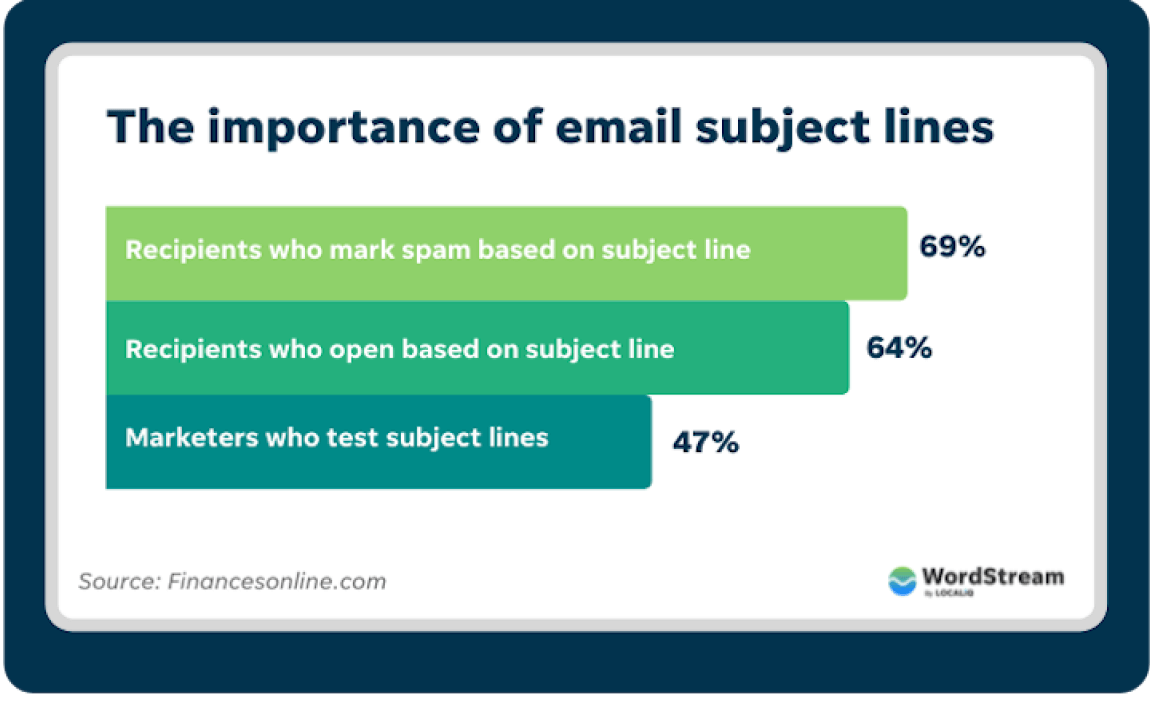
The primary purpose of an email’s subject line is to make the recipient understand the purpose of the email. Given this, you must ensure a clear and specific subject line. Additionally, don’t make it lengthy. Most people overlook emails with lengthy subject lines. The subject line you write while crafting an email should be descriptive yet short. So, ensure a subject line featuring 40 characters or less so that the recipient can see the entire line and understand the purpose of your message. It is worth mentioning that clear and specific subject lines encourage recipients to open your email at once.
2. Use a Professional Tone That Matches the Context
The word and tone you choose to deliver a message matter a lot. It can be a make-or-break factor in various scenarios. This statement is especially true when you are trying to communicate through email. Sometimes, the tone you convey to a co-worker or supervisor may need to be revised when addressing a client or prospect.
One common issue is that you may unintentionally use a casual or informal tone when writing emails, especially if you’re in a hurry or relying on your usual communication style. This can lead to misunderstandings or damage professional relationships with potential clients or colleagues.
So, it is always an excellent option to go for a safer bet and ensure a professional tone that works well with everyone.
3. State the Purpose of Your Email Early
The recipient decides how to treat your message in its first two sentences, so that is where the purpose belongs. A request reads differently from a status update, and a follow-up differently again from an introduction or a meeting confirmation, yet all four need the same opening move: say plainly what you want and by when. However, stating the purpose helps only if the sentence carrying it is clean.
Ambiguity can lead to miscommunication and broken relationships. You may lose a valuable client because of your inability to deliver a more explicit message. The ambiguity in your email messages often occurs because of unusual sentence structure, typos, and grammar mistakes. The best way to avoid such flaws in your email’s body is to proofread the content. However, if you are not confident about proofreading content, consider using an advanced spelling and grammar checker.
You can get help from a grammar checker free tool to identify and rectify mistakes in the email body, or even better. This tool could be a one-stop shop to solve all your message’s grammatical and style errors. It will remove jargon and complicated terms from your content and replace them with simpler alternatives. The grammar check tool will also refine content by reordering words and fixing the structure of your sentences to make your message easily readable.
4. Keep Business Emails Short and Easy to Scan
You should understand that no one likes to read lengthy blocks of text. If your email body appears shorter to the recipient, they may give up the idea of reading the entire message. Hence, you will need to communicate effectively via email. This phenomenon will lead to failure to make the recipient respond to your call of action, often placed in your message’s last part. So, your job is to keep the email body concise.
However, keeping it concise doesn’t mean omitting necessary details from your message. Just keep sentences as short as possible and avoid using unnecessary articles. Your goal should be to keep the length of your email body equal to 100 or fewer words without compromising any critical information. Doing so will help you get better results from your email communication.
5. Format Emails for Readability on Desktop and Mobile
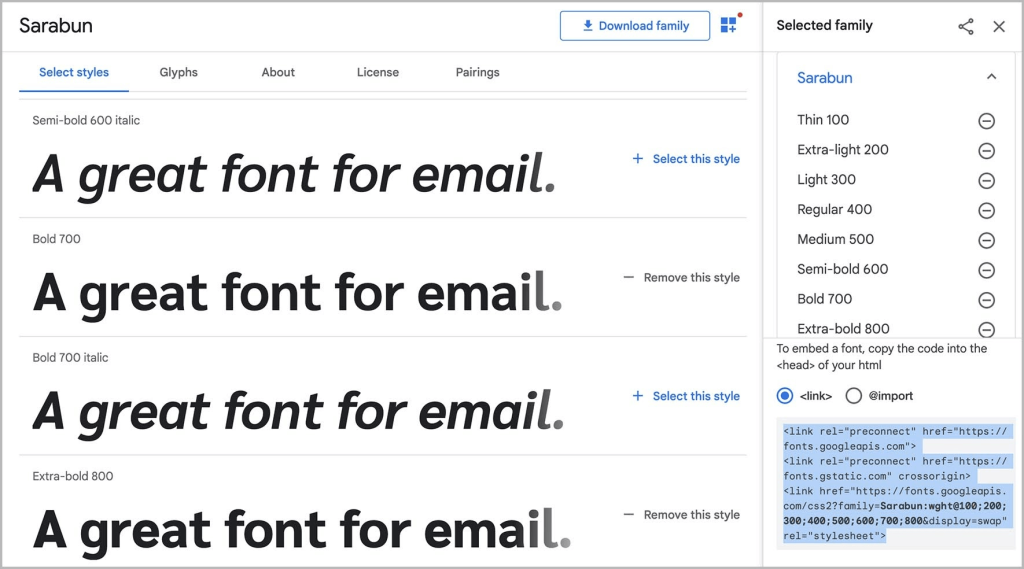
Another thing you must ensure while writing email messages for professional purposes is going with logical formatting and font. Using fancy typefaces won’t make your message engaging or more effective. This strategy may backfire as the recipient may fail to scan your message. Hence, using conventional font styles such as Calibri or Aerial is safer. You should also provide your professional email with logical formatting that is easily understandable by the recipient.
source: emailonacid
You may think that your tone and presentation via email are enough to reflect your professionalism, but structure and formatting also play a vital role. Using an apparent structure can help recipients identify and understand the highlights in your message without any confusion. So, be mindful of the order of everything to communicate effectively. The order you follow while structuring email includes a subject line, greeting, main content, and a signoff, respectively.
6. How to Send an Email to Someone for the First Time
It is quite understandable that if you are messaging a colleague or supervisor you regularly interact with, you don’t need to introduce yourself before conveying the message. However, a brief yet thorough introduction is necessary if you email a person for the first time, be it a co-worker, an employee of another organization collaborating with your company on a project, or a prospect.
You must follow a format to introduce yourself via email. Your introduction must start with your name, position in the company, and the name of the individual (if any) who referred you. Such an introduction at the start of your email will cast a good first impression on the recipient. It also helps you quickly reflect on the purpose of email.
7. Choose the Right Greeting and Email Sign-Off
As mentioned earlier, your email body must have a logical structure that reflects professionalism and makes your message quickly understandable. So, your email body should begin with an appropriate greeting that doesn’t sound too casual. Keeping the greeting formal is essential when contacting someone for the first time. However, casual greetings have become acceptable nowadays if they appear appropriate to the recipient.

Like a salutation, an appropriate signoff is essential for a logical body of email for professional communication. Finishing your email professionally is also necessary, as it is vital to maintain a proper tone in the beginning and middle of the message. So, pay respect to the recipient while concluding your message. Use some formal yet highly respectful words or phrases for signoff. For instance, you can use sincere regards and best wishes; it was great working with you.
8. Follow Email Signature Etiquette
A professional signature is as important as an appropriate salutation and signoff in professional messages you send through email. You should add your professional email signature at the very end of your message. It can showcase your professionalism and build a positive image of your brand. The signature space will leave a good impression on the recipient. Your email signature works like a digital visiting card, allowing the recipient to have all the necessary information about you.
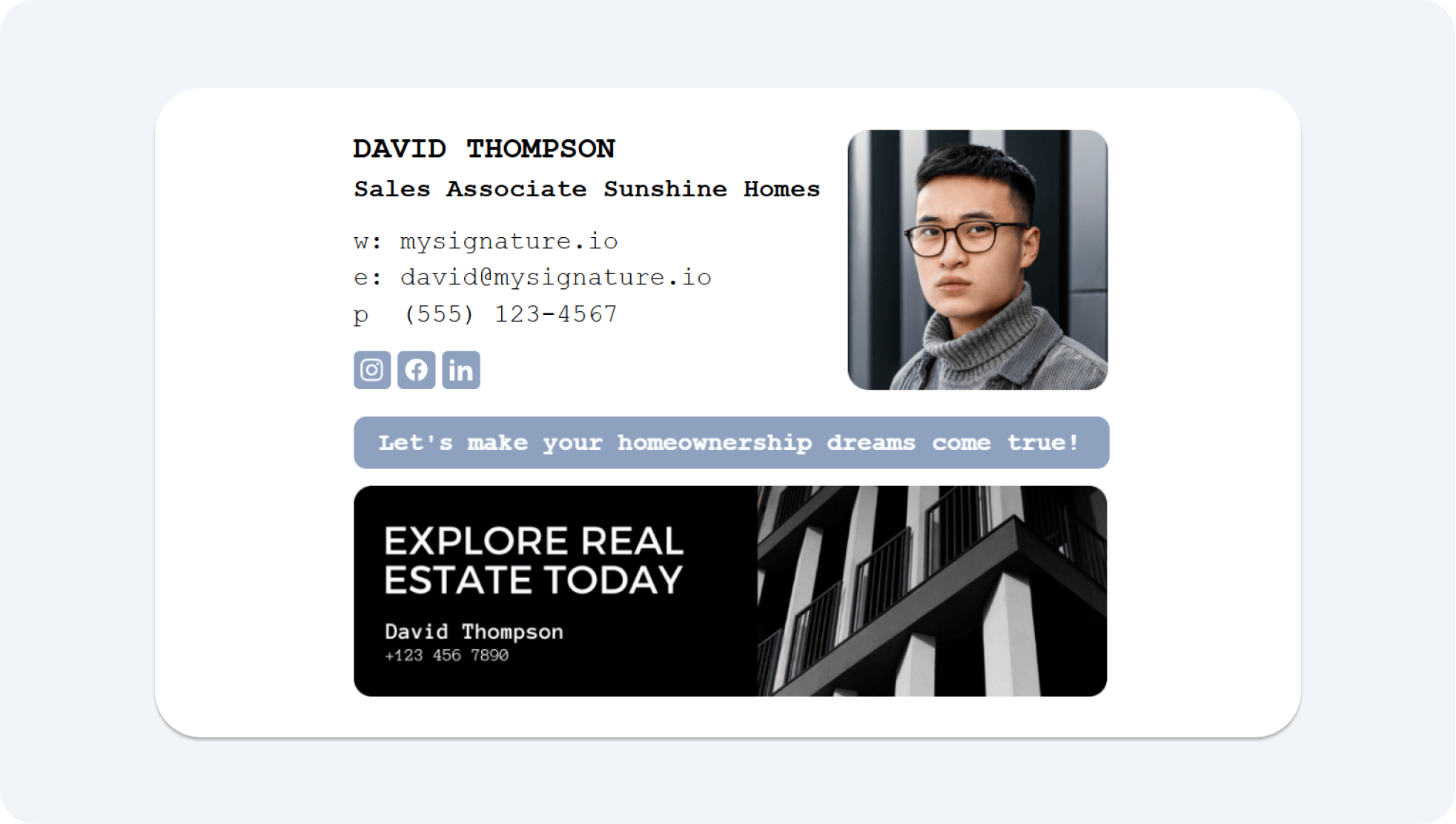
There could be multiple ways of adding your professional signature. You can add your full name, position, and necessary contact details, including email address and official cellphone number. The signature space also allows you to add a neatly designed graphic that aligns well with your brand. This graphic can also include your photo and links to social media handles. You must ensure that your graphical signatures are also responsive. Also, remember that adding an image-only signature is a big no-no!
9. Use To, CC, BCC, and Reply All Correctly
The headline of this section must have reflected the seriousness of this tip. You can only get desired results from your professional email messages when they are taken seriously. It is only possible when you make people who are relevant to the message you are conveying a part of your communication. No one likes to waste time or effort reading a message that is irrelevant to them. So, be mindful of the inclusion of people in your email communication.
Check all the fields, including ‘To,’ ‘Cc,’ and ‘Bcc.’ The ‘To’ field should feature the proper verified email address of the primary recipient. The ‘Cc’ field, which means carbon copy, should feature the email address of anyone you want to include in communication other than the primary recipient. The ‘Bcc’ field, which refers to blind carbon copy, should consist of contacts you want to show the primary recipient of your email. It is also useful when you want to broadcast a message through email.
10. Mention Attachments Clearly and Check Them Before Sending
I recommend avoiding attachments to emails you send anyone for the first time. Attachments to the first email may lead your message to a spam folder. However, if adding attachments is necessary, informing the recipient about them and their purpose is essential. You should always call out attachments and mention the reason for adding them while communicating professionally with anyone, be it a client, prospect, colleague, or supervisor.
It is also essential to limit the size of your attachments. Gone are the days when you could attach heavy files to emails without frustrating recipients. Nowadays, people often get offended when they have to wait for several minutes to download a file attached to the email they have received. So, ensure that the attached files are not larger than 10 Mb. If you want the recipient to view any files that are more significant than that, it is better to upload them to cloud storage and share their link with the recipient.
Common Email Etiquette Mistakes to Avoid
Most email problems in the workplace are not caused by rudeness, they are caused by habits nobody has stopped to question. So, it is worth naming the ones that cost the most time.
| Mistake | Why it hurts | Do this instead |
|---|---|---|
| Vague subject lines | The email is opened late or not at all | Name the topic and the action |
| Long blocks of text | The reader skims and misses the request | One request, one short paragraph each |
| Replying while annoyed | Tone lands harder in writing than in speech | Draft it, send after a break |
| Overusing Reply All | Inboxes get noise they cannot act on | Reply to the sender and Cc only those affected, so threads stay organized |
| Missing attachments | You need a second email and lose credibility | Attach the file before writing the body |
| Spelling errors and typos | One error reads as carelessness rather than attention to detail | Re-read the message once before sending |
| Unverified recipients | Sensitive information reaches the wrong person | Compare the email addresses in the To and Cc fields before sending confidential information |
| Cluttered signatures | The details that matter get lost and the sender looks unprofessional | Keep it to five or six readable lines |
Email Etiquette Examples for Common Business Situations
Rules are easier to apply when you can see them working in a finished message. So, the three examples below cover the situations people ask about most: writing to someone who has never heard from you, following up when they have not replied, and sending an email with a document that needs a decision. Adapt the wording and keep the structure.
Example: First Email to a New Contact
A first email has to say who you are and what you want before the reader loses patience.
Subject: Intro from [Company] about [topic]
Hi [Name],
I am [Your name], [job title] at [Company]. I came across your work on [source] while looking into [topic].
We help [type of company] with [problem], and it may be relevant to [their company].
Would you be open to a 15-minute call next week? Here is my calendar: [booking link].
Best regards,
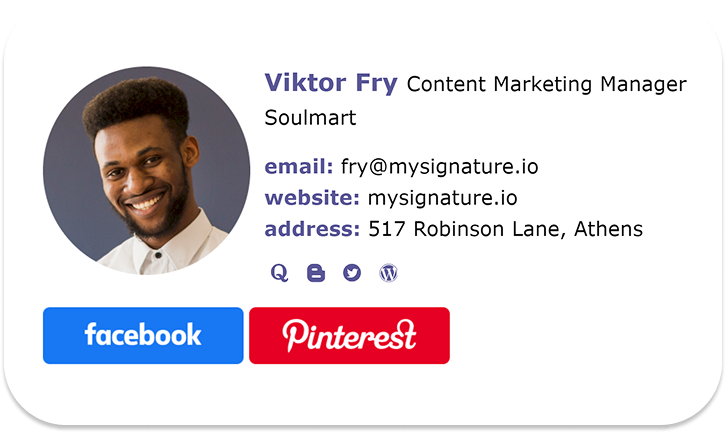
Every line answers a question the recipient is already asking, so none of it needs a second read and it leaves the right impression.
Example: Professional Follow-Up Email
A follow-up works when it gives the reader an easy way to reply, so keep it shorter than the message before it.
Subject: Re: Intro from [Company] about [topic]
Hi [Name],
I wanted to check whether my note from [date] reached you. No rush if the timing is wrong.
If a call is not useful now, I am happy to send a short summary instead.
Best regards,

Nothing here pressures the recipient to explain the silence, so a single line to acknowledge it is enough.
Example: Email With an Attachment
An attachment needs one sentence naming it and one sentence saying what happens next.
Subject: [Document name] for your review
Hi [Name],
I have attached [file name], which covers [what it contains].
Could you review page [number] and confirm the [figures or dates] by [day]? I will send the final version once you reply.
Best regards,

The file is named in the body, so the recipient knows what they are opening before they open it.
FAQ About Email Etiquette
Good email etiquette raises a few questions often enough to be worth answering on their own. Here are the short versions.
What is email etiquette?
Email etiquette is the set of rules people follow when writing, sending, replying to, and formatting professional emails. It covers what you say, how you say it, and who you say it to. Following it shows respect for the recipient’s time and builds positive relationships at work.
What are the basic email etiquette rules?
Email etiquette in the workplace comes down to a clear subject line, a professional tone, a concise message with one main request, the right people in the To and Cc fields, a proofread body, an attachment check, and a professional email signature.
What is proper email signature etiquette?
Proper email signature etiquette means the signature is accurate, readable in any client, and short enough to scan. Anything that does not help the recipient reach or identify you is decoration.
How do you email someone for the first time professionally?
Start with a subject line that names your reason for writing, then open with a formal greeting. Give your name, your role, and how you found the person. Say what you need in one sentence and what the next step is, then close with a professional sign-off and your email signature.
What are examples of bad email etiquette?
Bad email etiquette shows up as vague subject lines, an overly casual tone full of slang and emojis with someone you have never met, walls of text with no clear request, and emotional replies that are easy to misinterpret, sent before you have cooled off. Hitting Reply All out of habit, forgetting the attachment, and a cluttered signature belong on the same list.