
Last Updated on 15.10.2026 by Danylo T
As your contact list expands, you are well aware of the importance of timely follow-ups, but you can’t do it all by hand.
While automation keeps you consistent, it can also generate cold, repetitive and easy-to-ignore messages. The goal isn’t to send more emails. It’s to make relevant emails that are timely and yet feel personal.
Campaign Monitor conducted a study that revealed personalizing subject lines of the emails could boost open rates by as much as 26%. But personalization is more than a first name. This guide will help you automate follow-ups without losing the human touch.
Key Takeaways:
👉 Automate follow-ups based on meaningful customer actions, not generic contact lists.
👉 Personalize the message with real context, not just the recipient’s name.
👉 Combine CRM, email, and engagement data to create smarter, more relevant workflows.
👉 Let automation handle routine emails, but keep human review for high-value or sensitive conversations.
👉 Measure success by replies, conversions, and customer actions, not just email open rates.
How to Automate Personalized Email Follow-Ups Without Sounding Robotic
A successful email marketing automation strategy saves time without making your emails feel scripted or impersonal. These practical steps will help you automate follow-ups that arrive at the right time, match each recipient’s actions, and encourage genuine conversations.
Step 1: Decide What Should Trigger Each Follow-Up
All automated emails must have a clear purpose. Rather than scheduling all contacts in the same sequence, make up follow-up actions after certain contacts.
A few examples include: reminding someone who has purchased setup tips, helping to answer common questions after they visit your pricing page, or reminding a prospect to respond to an unanswered proposal.
When it comes to email marketing, the right timing matters, and it makes your emails feel helpful instead of automated. Businesses with complex workflows can use custom software development services to connect customer data across systems and support more targeted, automated email follow-ups.
Step 2: Split Your Contacts Into Small, Useful Groups
The follow-ups to your contacts should not be the same as their needs are not the same. Segment them according to purchase stage, interest, or previous interactions to match each message to their circumstance.
A new customer may require information, whereas an existing customer might want to receive a recommendation for a product or special deals. Breaking up email into smaller pieces makes it seem more personal and makes it easier to respond.
Step 3: Write a Separate Message for Each Situation
Each subsequent follow-up should build on the next rather than begin again. The most simple way to personalize your email marketing automation is to compose emails based on the last action a person took rather than sending one template to everyone.
For example:
- Subscription request: Describe your pricing, respond to common objections, or provide a quick call.
- Completed purchase: Give instructions for the setup of the product, tips for care of the product, or recommendations for complementary products.
- Downloaded a guide/report: Provide another case study, checklist, or practical resource about the topic.
- Unanswered proposal: Send a polite reminder, ask if they have questions and make it easy for them to continue the conversation.
If all the follow-up emails are clear on purpose, your emails won’t seem irrelevant, useless, or unreadable.
Step 4: Add Personal Details That Give the Email Context
True personalization is all about doing what it takes to remember the person’s journey. Remind them of their company, the product they’d explored, a recent conversation they’d had, or a business challenge that they’d discussed with you.
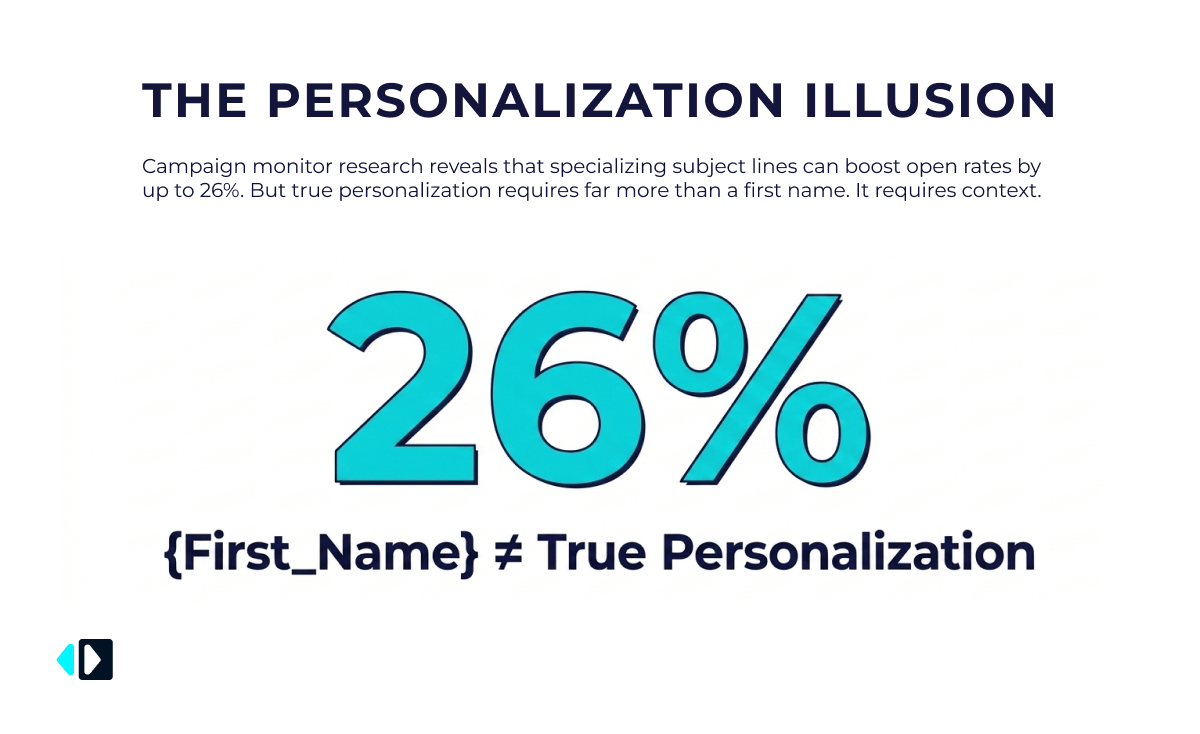
For example, referencing the software package they requested feels much more thoughtful than simply opening with their first name. Follow-up is more appropriate and more believable if you can make it a response to the context.
Step 5: Keep the Message Short and Easy to Reply To
Long emails cause delay in decision making because the reader has to make extra efforts to arrive at the point of the email.
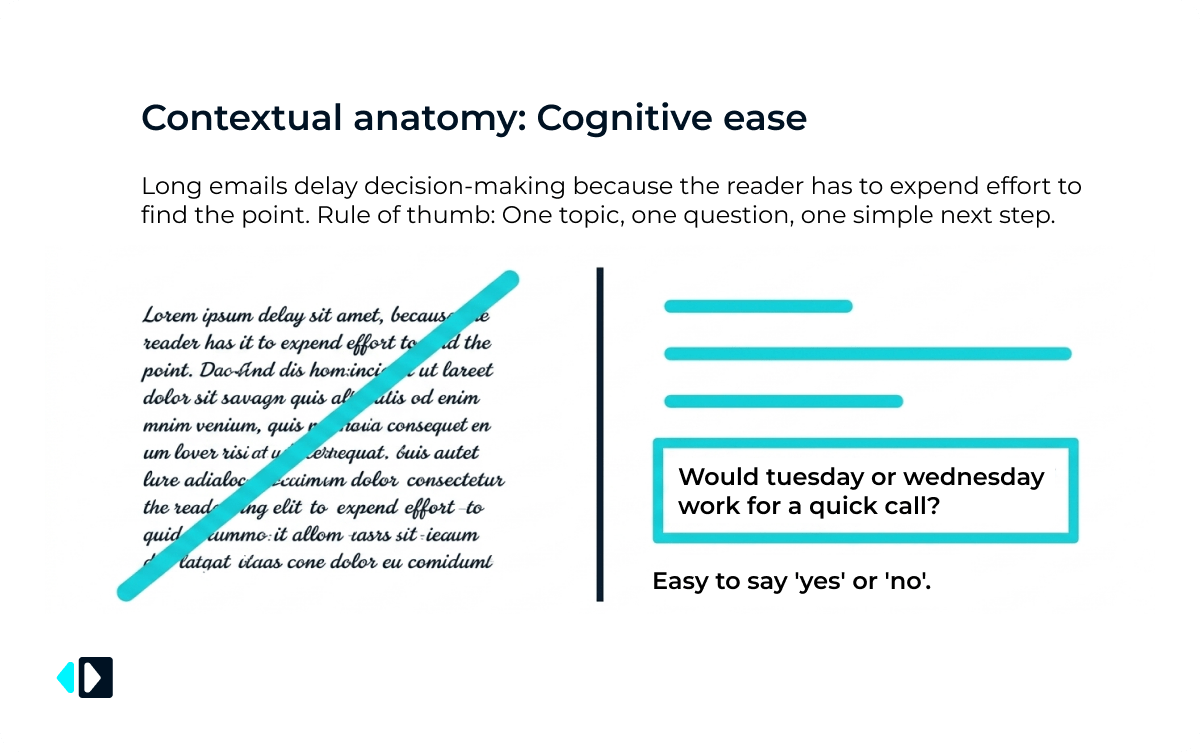
Stay on one topic for each follow-up, one question and leave them with one simple next step. For instance, if you ask “Would Tuesday or Wednesday work for a quick call?,” it is so much easier to say “yes” or “no“.
Step 6: Use Delays That Match the Situation
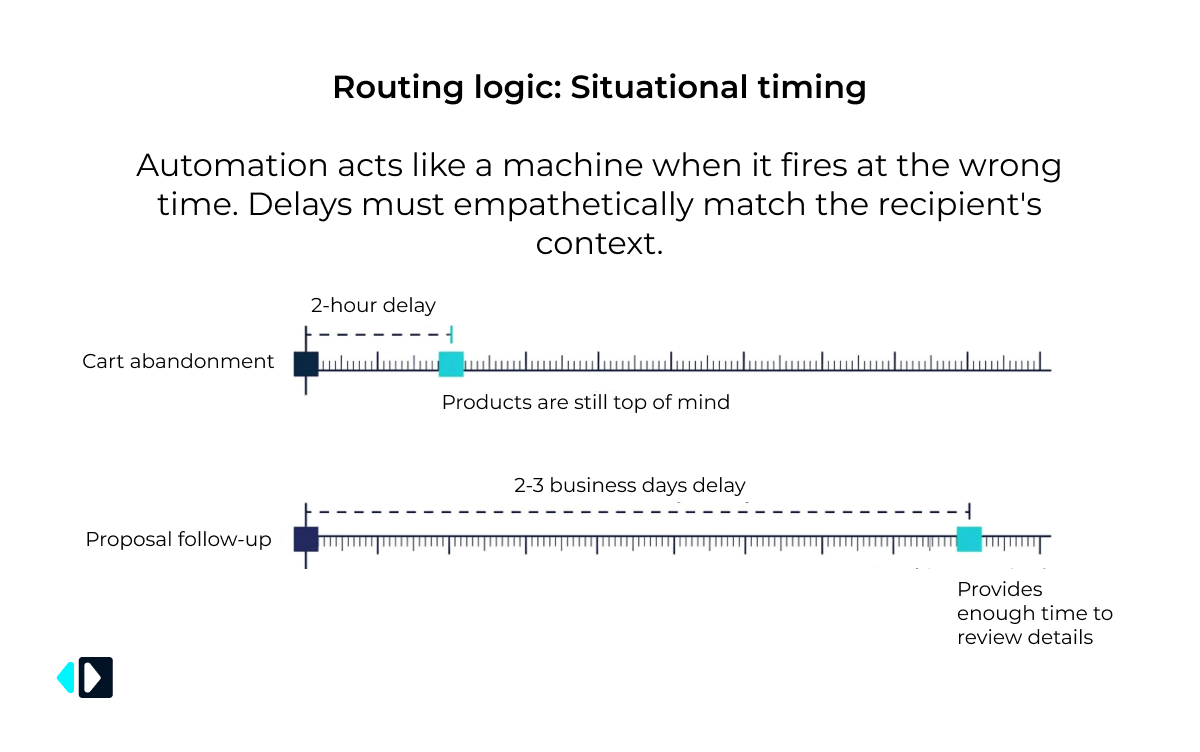
Email marketing automation is like a machine only if it is done at the wrong time. A cart abandonment reminder is best when sent a few hours after they leave, when the products are still top of mind.
It works best to wait 2-3 business days after making a proposal follow up as the recipient will have enough time to see the details before you follow up again.
Step 7: Stop the Sequence When the Contact Responds
There’s nothing that can be more misleading than getting another auto-reminder after you’ve responded. When somebody replies, books an appointment, makes a purchase, or contacts your support team, your workflow should cease immediately.
For instance, if a prospect books a demo after your second email, he should never be sent the third reminder to book the same demo.
Step 8: Let a Real Person Take Over Important Conversations
Talking should be part of automation, but not the other way around. If it’s a complex discussion, you should pay attention to it as it can affect your purchasing decisions.
Responding to pricing negotiations, complaints, partnership opportunities and large orders is a situation where responding is a much better experience.
A well-crafted email from a human being can solve problems in a much quicker timeframe than another automated sequence.
Step 9: Review Your Follow-Ups Before They Go Live
Test all the steps in any email marketing automation sequences the same way your recipient will receive them before activating the workflow.
Check that:
- Personalization fields show up properly.
- Links lead to the appropriate web pages.
- There’s a rationale behind sending emails at the right time.
- Contacts remove the sequence when they finish the desired action.
- All messages look great on desktop and cell phone.
The smallest of errors can turn an otherwise personalized email into a generic message.
Conclusion
You don’t necessarily have to sacrifice the personal touch by automating your follow-ups. The goal of effective email marketing automation is to deliver the right message at the right time while still reflecting the recipient’s actions, interests, and stage in the customer journey.
Review your workflows regularly, base automation on real interactions, and step in personally when needed. You’ll save time, build stronger relationships, and create follow-ups people actually want to respond to. Pairing this approach with a professional email signature from MySignature helps reinforce your brand, provide useful next steps, and make every automated email feel more personal and trustworthy.
Frequently Asked Questions
How do I make automated follow-up emails feel more personal?
Don’t just personalise the message using the most basic personalisation fields, use the recipient’s recent behaviour. Talk of things they saw in the product, things you said, or why they reached out.
What is the best time to send an automated follow-up email?
The timing will be different for different actions. A reminder on the cart probably will work best after a couple of hours, and a follow-up on the proposal will be more effective after 2 or 3 business days.
Should automated email sequences stop after someone replies?
Yes. The workflow should pause as soon as someone responds, schedules a meeting, makes a purchase or contacts your team. Sending more automated emails after that will provide a bad customer experience.
Which metrics matter most for email marketing automation?
Pay attention to the metrics for reply rate, conversions, meetings booked, sales and unsubscribes. These metrics will help you determine if your follow-up emails are promoting real engagement or just opens.