
Last Updated on 28.05.2026 by Vasyl Holiney
At a networking event, when someone wants your business card, you don’t have to dig around for a paper card anymore. You can just share your contact info straight from your smartphone device. That’s the kind of ease that digital business cards bring to professional networking.
Key takeaways
👉 Digital business cards in Apple Wallet offer a modern, eco-friendly alternative to paper cards, making networking more seamless and efficient.
👉 Adding a digital business card requires a QR code scan, as Apple Wallet does not support direct image uploads—tools like MySignature simplify this process.
👉 Sharing your business card is quick and easy—just double-click the Side button on your iPhone to access and display your card.
👉 MySignature enhances digital networking, allowing users to create professional business cards, email signatures, and branding assets effortlessly.
In this guide, we’ll show you how to do it in just a few easy steps, ensuring your contact information is always accessible.
What is an Apple Wallet Business Card?
A business card is a digital representation of your professional identity stored within the card app on your device. This eco-friendly alternative replaces traditional printed business cards, keeping your contact information, company logo, and social media links readily available on your smartphone.
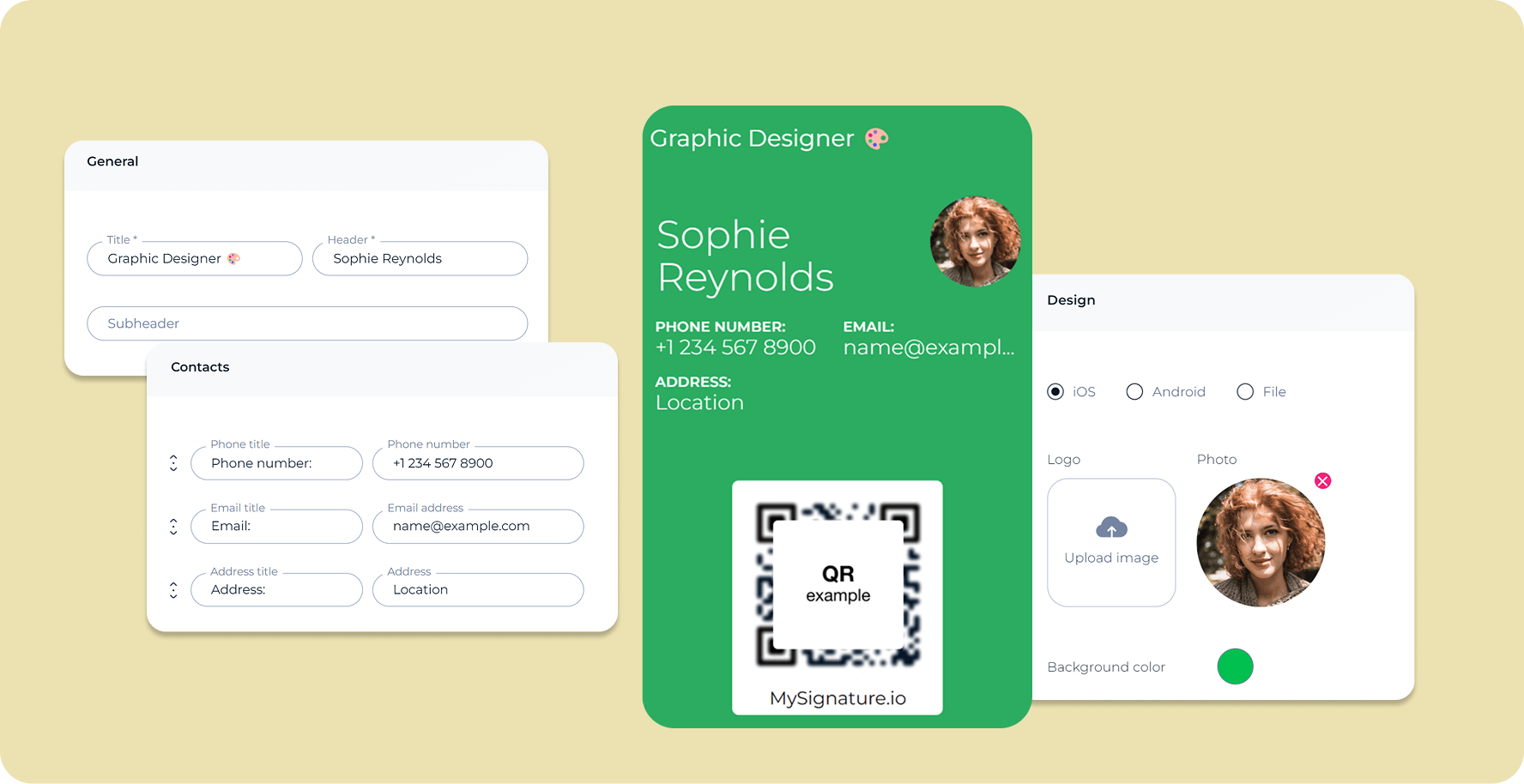
Want to add your digital business card to iOS devices quickly and securely? We’ll show you how to use Apple Wallet pass to store your card. Follow the instructions below. If you are an Android user, check out our guide about how to add a digital business card to your Google wallet.
Check out this video to learn more useful tips about digital business cards and how they can improve your networking:
Step-by-Step: How to Add Your Business Card to Apple Wallet
This procedure is quite simple. Nevertheless, it should be noted that, unlike Google Wallet, where one can easily upload their image, Apple does not provide such an option for Wallet passes. Therefore, the first step you should undertake is creating a card at a professional digital business card website such as MySignature. The platform also supports LinkedIn integration, making it easier to keep your professional details connected, updated, and ready to export.
1. Create you card using a Digital Business Card Maker
Begin by designing your electronic business card. Use MySignature’s platform to easily create a professional-looking card.
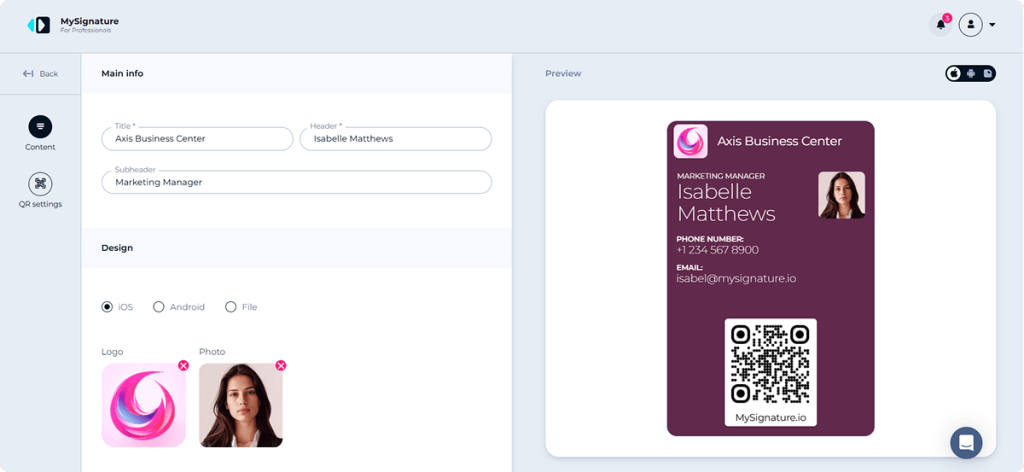
- Pick a card template that reflects your professional image.
- Include your name, job title, company name, email address, phone number, and social media profiles.
- Customize your digital card with a logo, brand colors, profile picture, and social links to make it instantly recognizable.
Once your e-business card is ready, you can add it
2. Scan the QR Code with your iPhone camera
You can easily add your digital card using a QR code. Click the Share button at the top of your card. A business card QR code will be generated instantly. You need to scan this code with your camera. After you scan the code, your card will open on your phone.
3. Save the pass to your Wallet App
To add your card to your digital wallet application, tap “Add.”
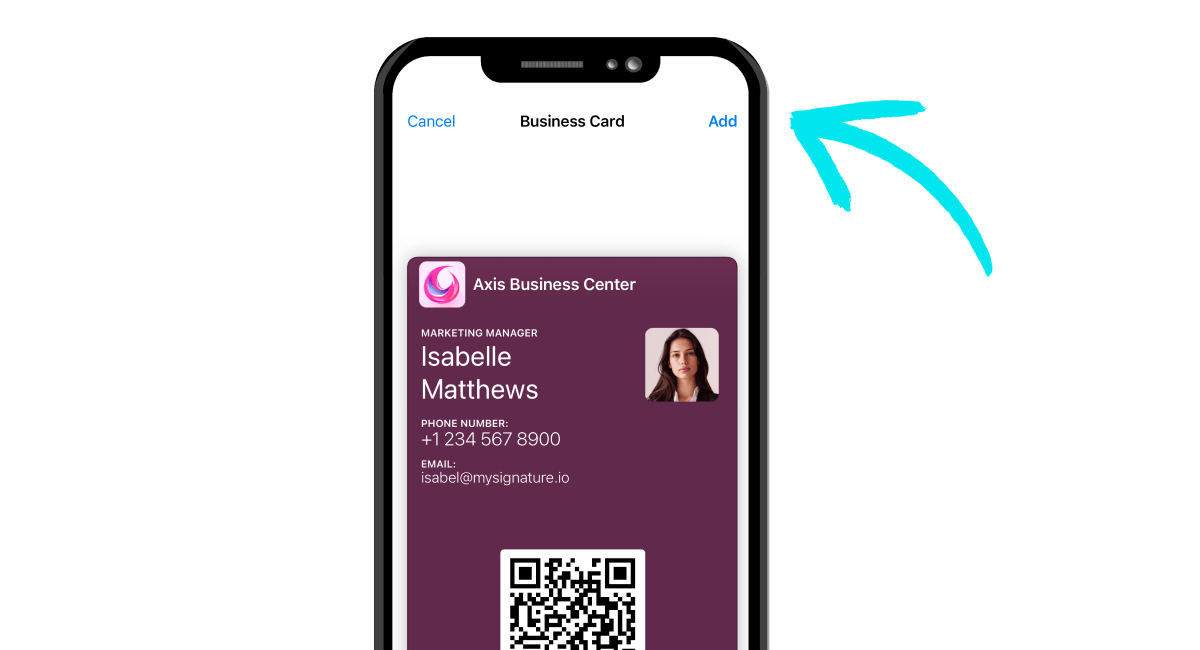
After adding the card, open the app to ensure it appears alongside your credit cards and boarding passes. Tap on the card to review all business card information.
How to Quickly Access Your Business Card on iPhone & Apple Watch
One of the biggest advantages of using a digital business card with Apple Wallet is how smooth the entire experience feels.
There’s no hassle involved — you don’t need to open the App Store, search through contacts, or look for screenshots just to share your business card. All the information about the person will be kept in the Apple Wallet that can be accessed on an iPhone or Apple Watch. This way, it will be much easier to share personal data during networking events, meetings, conferences, and even casual conversations.
Users can open Apple Wallet by double-tapping the side button.
Then, everything needed will be done in no time.
This process becomes even more user-friendly when used with the Apple Watch.
With QR codes and NFC technology, digital business cards are starting to revolutionize professional networking by making contact sharing faster and more convenient.
This is a much better alternative than keeping a bunch of physical business cards.
Start Sharing Your Digital Business Card from Your Apple Wallet
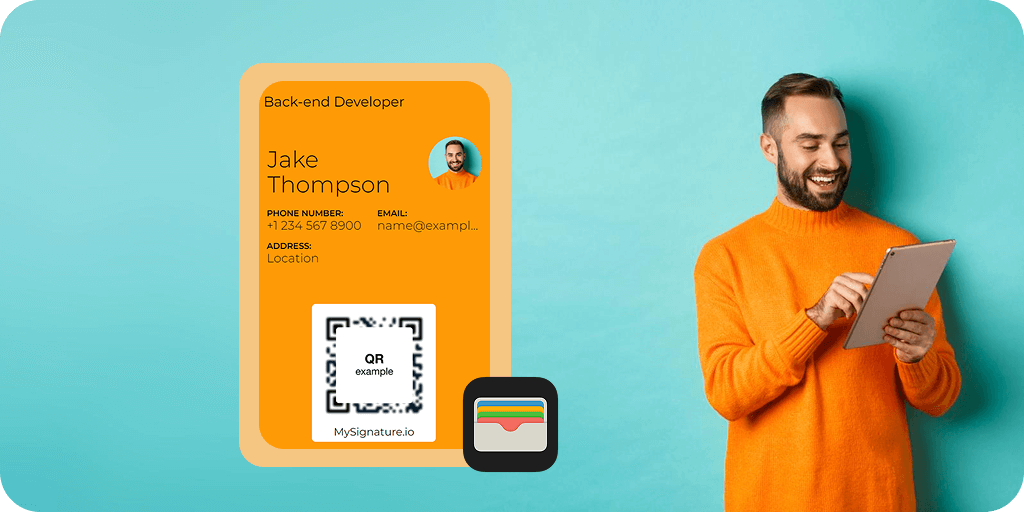
Now you want to share digital business card(s). How? To quickly access your card in Apple Wallet, double-click the Side button on your phone while it’s locked, and you’ll see all your saved cards and passes, including your business card. You can easily tap on what you need to share or display.
Benefits of Using an Apple Wallet Digital Business Card
If you’re contemplating whether to switch everything to Apple Wallet, consider the following advantages:
- It’s convenient
Never again worry about forgetting physical cards at home. With your digital version, your card is always a tap away.
- It’s eco-friendly
Going digital means less paper waste. You contribute to sustainability by reducing the need for printed cards.
- You don’t worry about updates
If your contact details change, simply update your card in the app. All your contacts will have the latest information automatically.
Streamline Your Networking with MySignature’s Apple Wallet Business Card Tool
In today’s digital world, carrying a stack of paper business cards is outdated and impractical. Not only does it contribute to environmental waste by not saving trees, but it also lacks the modern touch that digital solutions provide.
With MySignature, creating your business card is a breeze. In just a few clicks, you can design a professional card that you can easily share. Whether you want to add it to your card app for quick access or use it on Android, MySignature makes it simple. You can also download your card as a PNG or SVG file and keep it in your mobile devices in such a format.
“Mysignature is a wonderful tool that has polished my brand in such an entrepreneurial space. As a full-time streamer, I want to establish my professionalism in all aspects of my brand, and Mysignature helps me do that.“
– KiwiOnTheSticks, Gaming Content Creator
The best part? MySignature offers more than just a digital business card maker. It’s a comprehensive platform that allows you to create email signatures, build link-in-bio pages, and actually manage your branding needs.
So, get started today. Create your new digital business card using MySignature and enjoy the ease of sharing with just a tap. Whether you’re at a conference or meeting new clients, you’ll always be prepared to connect.

FAQ
Can I add a business card to Apple Wallet without an app?
Absolutely, in the majority of cases, there is no need for you to install an additional application for your digital business card in order to use it within the iOS. Many digital business card apps, including MySignature, allow users to create an Apple Wallet-compatible pass directly from the browser.
Does the Apple Wallet business card work on Apple Watch?
Yes. After adding the card to your phone, you will be able to access the same on your Apple Watch too. This means that you will be able to show your QR code or contact details straight from your wrist while meeting someone new.
Is it possible to share my card with Android users from Apple Wallet?
Yes. Despite the card being saved in the iOS, an Android user would still be able to view your contact details through the QR code or link attached to the virtual business card.
How do I update the information on my card in Apple Wallet?
However, most digital business cards that are associated with the card app can be updated automatically. Once you modify your personal details in the system from which the card was issued, there is no need for you to create an entirely new one.