
What’s an email signature, and why does it matter so much for something most people barely think about?
For many professionals, it’s just a few lines of contact info added at the bottom of a message. Yet that small space shapes how your messages look, how your business appears in inboxes, and how easily people can reach you.
In this guide, you’ll learn what an email signature should include, which formats work best, the mistakes worth avoiding, and how companies manage them across a team without constant manual updates.
Key Takeaways
👉 An email signature is a block of information automatically added to the end of an email that identifies the sender and provides professional contact details.
👉 A professional email signature typically includes the sender’s name, job title, company name, phone number, and branding elements such as a logo.
👉 Well-designed email signatures improve credibility, ensure brand consistency across employee communications, and make it easier for recipients to respond or follow up.
👉 Email signatures can also support marketing and lead generation by including links, social profiles, booking pages, or promotional banners.
👉 Organizations often use centralized email signature management tools to maintain consistent design, update legal disclaimers, and deploy changes across teams efficiently.
What Is an Email Signature?
An email signature is a short block of text placed at the end of a business email, usually added automatically by your mail platform. It appears in the email footer and identifies the sender, while giving the recipient quick access to essential information.
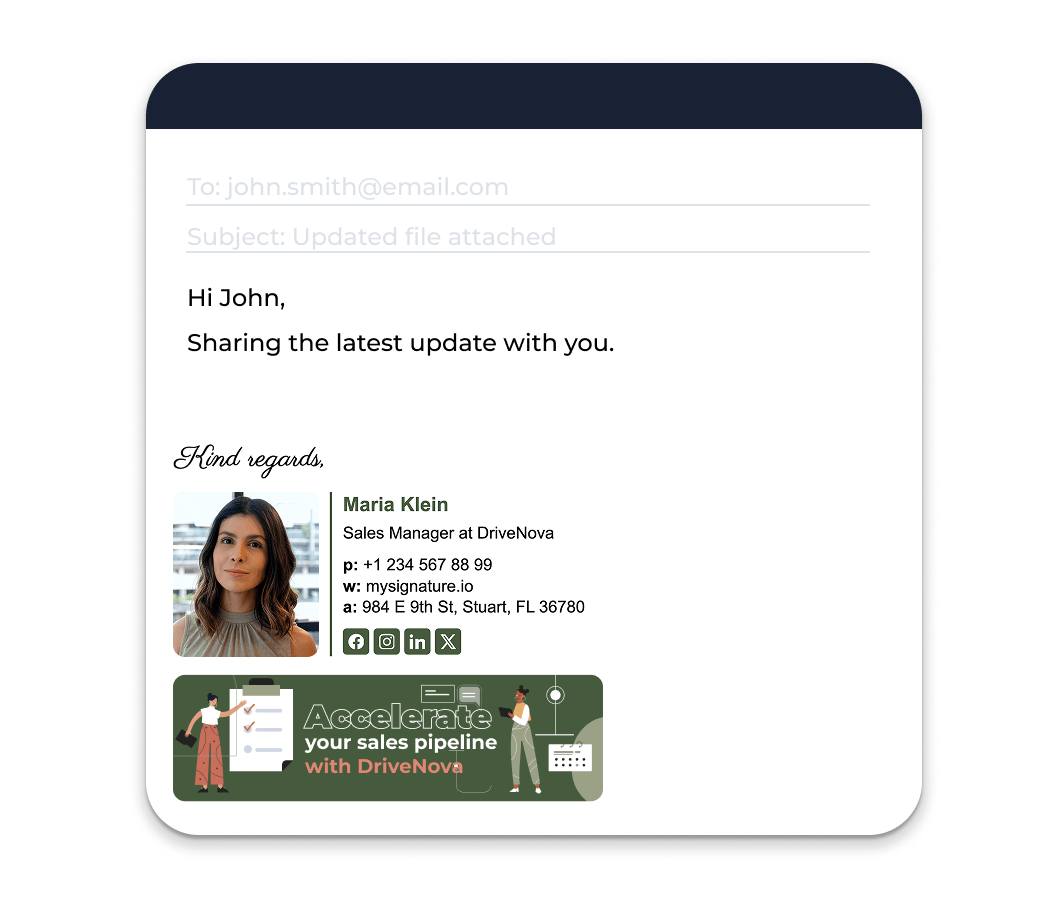
In everyday communication, the closing block acts as the standard closing for every email you send. Instead of typing your details again and again, your mailing client adds them automatically, keeping your messages coherent and making it clear who the email is coming from.
What Does a Professional Email Signature Include?
Earlier, we defined an email signature as a block of text placed at the end of an email.
In reality, most modern signatures are a little more layered.
Copy still does the heavy lifting, but a good company email signature often requires icons, links, and small visual cues that help the message look professional and stay in line with a company’s visual style.
(Kinda like a compact digital business card that appears in the footer of the e-letter.)
The structure is usually simple: a handful of core details every signature should contain, along with optional elements that support branding, communication, or even light email marketing.
Basic Email Signature Elements
The foundation of any professional email signature is identification. These things make it clear who the sender is and how the person receiving the message can reach them.
A typical signature should have:
- Full name: The anchor of the layout, clearly identifying the sender
- Job title: Provides context and authority to the conversation
- Company name: Connects the sender to the organization
- Phone number: Often the quickest way to continue the conversation
- Email address: Sometimes presented as part of the visible professional reach out details
- Office location: Helpful for companies with physical head quarters
- Company logo or brand logo: A simple branding element that supports brand awareness
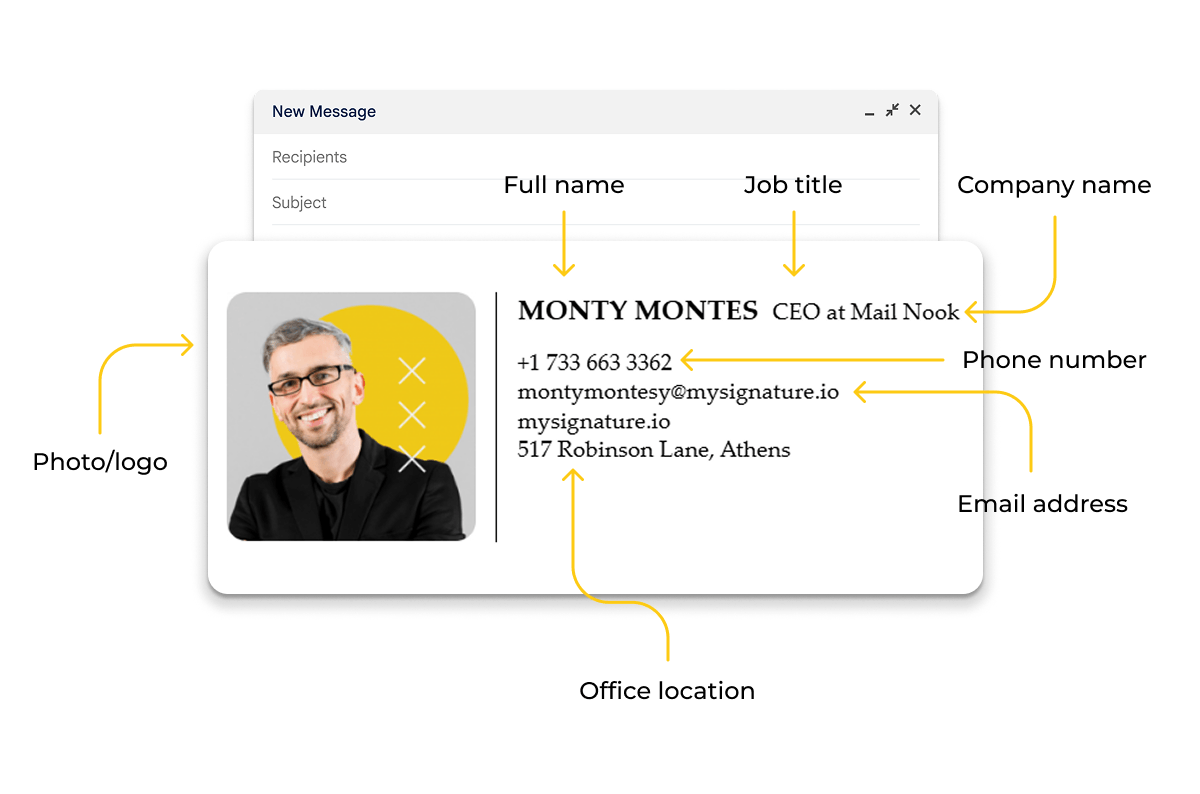
These essentials establish clarity and a uniform professional image. Once they’re in place, additional features can be added with a bit more flexibility.
Optional Email Signature Elements
After the basics, many teams expand their setup with a few extras that strengthen the company’s overall presentation or make the signature more useful.
Common additions may look like:
- Social media icons or social media links pointing to professional social networks like LinkedIn
- A promotional banner or CTA (call to action) used for lead generation
- Professional headshots, often used in client-facing roles
- Clickable website or scheduling links
- Email disclaimers or legal disclaimers covering confidentiality, GDPR, HIPAA, or other security and compliance needs
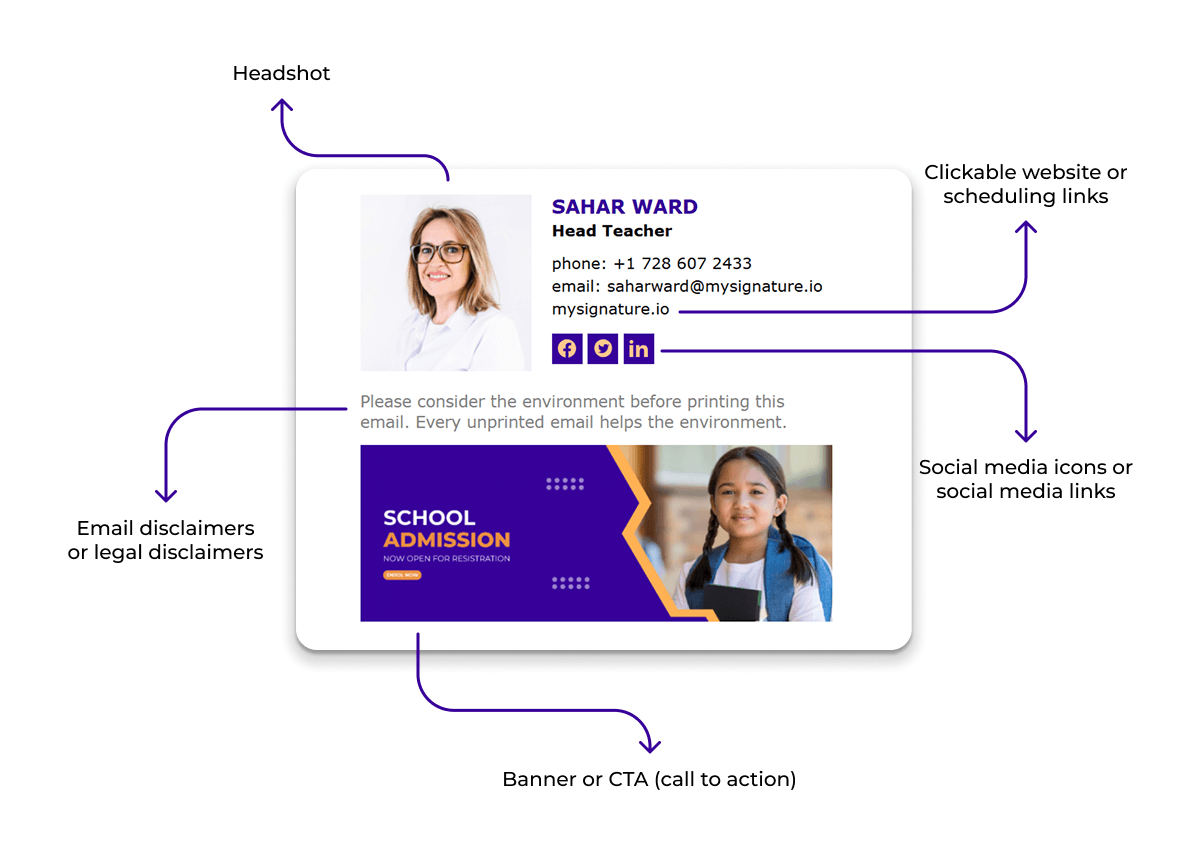
Utilized carefully, these things turn a simple footer layout into something more functional. The signature becomes a compact place to share important information, reinforce a cohesive image, and still remain clean and readable across different email systems and mobile devices.
Why Is an Email Signature Important?
An email signature appears at the end of every message you send, which makes it one of the most repeated touchpoints in everyday communication.
When structured well, a company email signature does several things at once: it helps emails look professional, reinforces brand identity, and supports communication beyond the message itself. And the email signature statistics speak for themselves!
Here are the main reasons organizations take creating a professional email signature seriously.
Professionalism and Credibility
A structured email signature signals that the message comes from a real person representing a real organization. Clear professional contact details make it easier for the reader to understand who the sender is and how to continue the conversation.
Most professional signatures offer:
- Full name and job title
- Direct phone number
- Company name and registered location
- A recognizable company or brand logotype
Together, these help a business email feel complete and trustworthy.
Brand Consistency Across Emails
E-mail is one of the most frequent touchpoints a company has with clients and partners. A standardized company email signature ensures that those messages maintain visual alignment across teams and departments.
Consistency usually comes from sources like:
- The company’s logomark and recognizable style
- A uniform font and clean layout
- A shared format of the sign-off used across all comms
Over time, these repeated cues strengthen awareness and reinforce a recognizable image.
Marketing and Lead Generation
Because signatures appear in everyday communication, they can also support marketing via electronic messaging. Many marketers go for a small banner, clickable link, or CTA promoting a resource, event, or product.
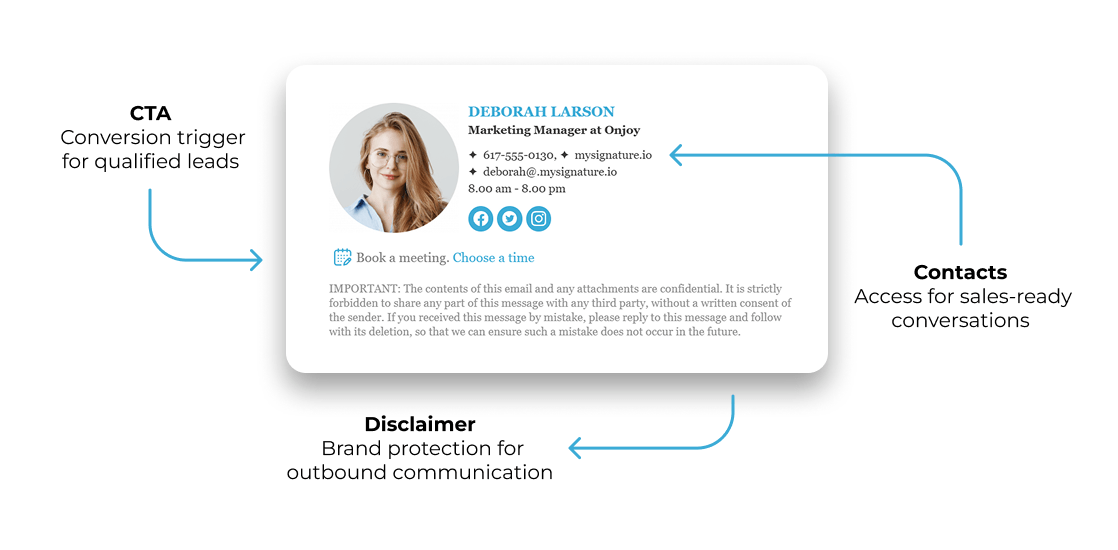
Used carefully, the signature becomes a subtle marketing channel. With email tracking and performance monitoring, companies can measure engagement and support lead generation through routine conversations.
Legal and Compliance Requirements
For some companies, signatures also serve a practical regulatory role. Disclaimers help communicate expectations around confidentiality and responsible data handling.
These notices often reference GDPR privacy requirements, HIPAA data protection rules, as well as broader security and compliance standards.

Common Email Signature Formats
Different email clients, company policies, and design preferences all influence the format of a signature.
Most signatures fall into one of three broad categories, each with its own strengths and limitations.
Plain Text Email Signatures
The most straightforward option is the plain text signature. It contains only writing, arranged as a simple footer block without photos, icons, or styling.
This format typically resorts to the essentials such as:
- Full name and job title
- Company name
- Phone number and sometimes an email address
- Workplace location or website
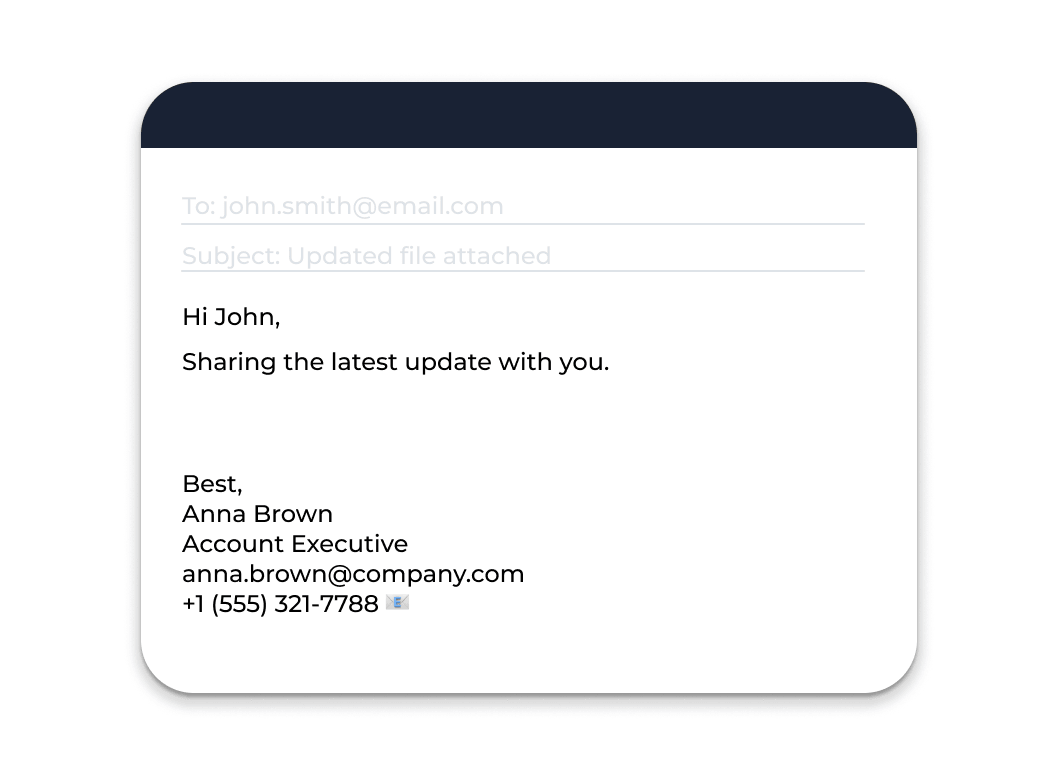
Plain-text signatures are extremely reliable because they display consistently across different clients, including Microsoft Outlook and Apple Mail, and they remain easy to read on mobile devices.
The trade-off is that they offer little room for visual branding.
HTML Email Signatures
Most companies opt for HTML electronic sign-offs because they offer far more control over how the signature looks. With HTML, you can organize words, pictures, and links into a clean layout instead of a simple content block.
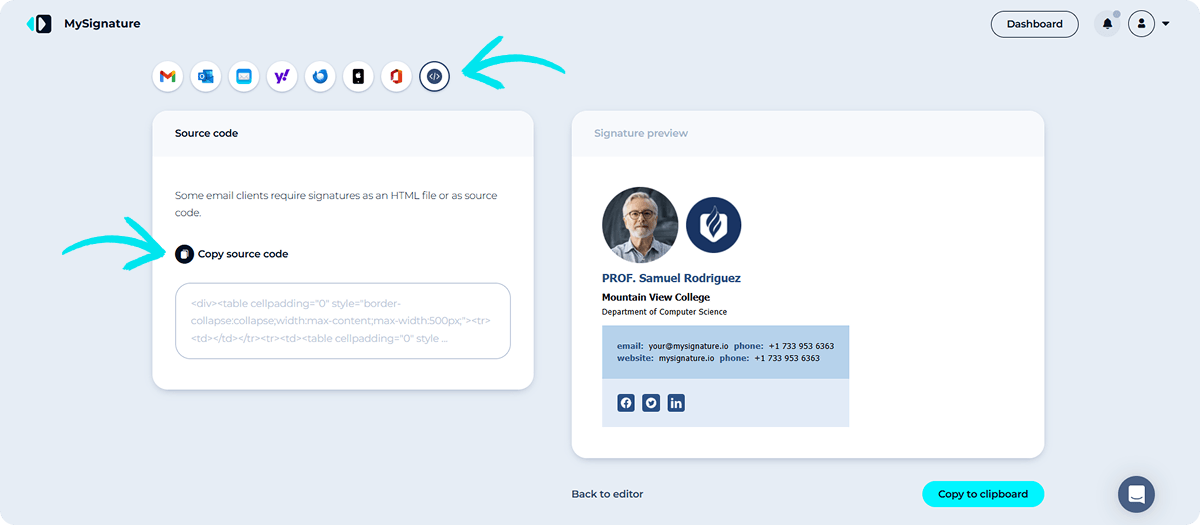
This format makes it easier to show visual cues that support a company’s identity, such as a company logotype, a branded font, and clickable links. When designed properly, HTML signatures remain mobile-friendly and display reliably across professional email platforms.
Banner-Based Email Signatures
Banner-based signatures expand on the HTML format by introducing a promotional aspect. Alongside the regular signature block, a small banner highlights a campaign, announcement, or call to action (CTA).
Organizations often turn to banners to promote:
- Webinars, guides, or product launches
- A booking link for sales conversations
- New content tied to email marketing campaigns
Used thoughtfully, this format turns the signature into a subtle marketing channel that supports lead generation without distracting from the contents.
Email Signature Best Practices
An email signature only works if it’s designed well. The right structure makes your messages look professional, reinforces identity, and keeps the info easy to find. Poorly designed signatures do the opposite—cluttered layouts, oversized pictures, or random links quickly turn the signature into noise.
The next best email signature practices help keep your signature clear, functional, and consistent across various email clients and mobile devices.
Keep Your Email Signature Simple
A good signature block should be easy to scan. When a signature is packed with quotes, banners, and extra information, most people ignore it.
The takeaway here is that clarity works better than complexity. A clean structure keeps the focus on important contents and helps the e-letter feel polished.
Practical tip: Stick to essential details and one optional visual addition. When creating a professional email signature, start with a simple layout and feature sections only if they serve a clear purpose.
👉🏻 Need inspiration for your email signature layout? Check our collection of email signature examples.
Optimize for Mobile Devices
Many messages are opened on mobile devices, where space is limited and layouts can easily shift. A signature that looks neat on a desktop may appear cramped or misaligned on a phone.
A mobile-friendly signature keeps everything readable and links easy to tap.
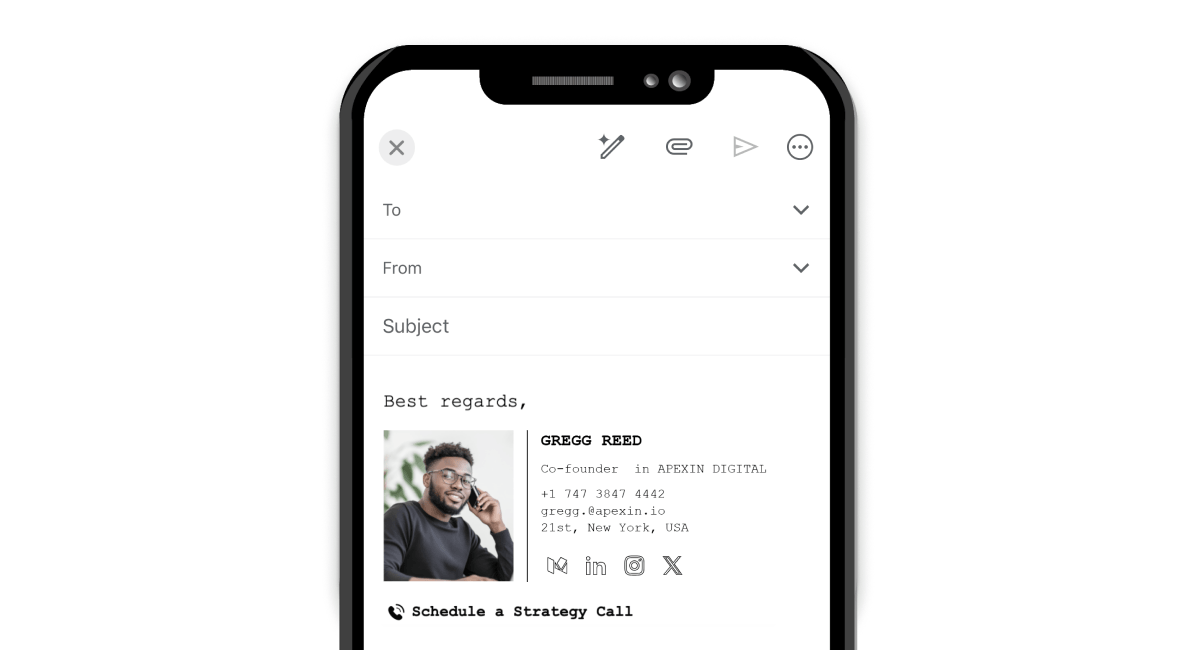
Practical tip: Keep the signature layout narrow (around 300–400 pixels wide), choose short statements, and avoid stacking too many icons, lines, pics side by side. Always preview the signature on both desktop and mobile before setting it as your default signature in your mailing client.
Use Consistent Fonts and Colors
Email signatures should adhere to the same visual logic as the rest of your business assets. Random font choices or mismatched hues weaken the company’s perception.
A cohesive company footer in digital comms supports a recognizable style in every message.
Practical tip: Limit the email signature design to one or two fonts and a small color palette that reflects your identity.
Use Pictures Carefully
Pics can strengthen branding—especially when they come with a company symbol, small profile icons, or a professional headshot. But large files can slow loading times or display poorly in some messaging clients.
The goal is balance: instead of dominating the signature, the visual aspect should support it.
Practical tip: Use optimized photos and test how they render across platforms before rolling out a new signature.
Put In Only Relevant Links
Links are useful, but too many compete for attention. A signature filled with online platform links, promotions, and booking tools becomes difficult to scan.
A focused set of clickable links keeps the signature practical.
Practical tip: Consider one or two meaningful links, such as a LinkedIn profile, company website, or a single CTA tied to lead generation.
Stay Compliant With Regulations
For some organizations, signatures also carry legal content. Legal notices often address confidentiality, privacy, and regulations such as GDPR or HIPAA.
These notices support security and compliance, but they shouldn’t overwhelm the signature.

Practical tip: Place legal statements in the signature footer and keep them concise so the main information remains easy to read.
What You Should Avoid in an Email Signature
Now that you know the practices that help a signature work well, you need to understand that the flip side matters just as much.
Even a carefully designed digital sign-off can lose its impact if a few common mistakes slip in. Overloaded designs, scattered branding, or unnecessary attachments can make a signature harder to read and less professional.
Knowing what to avoid helps keep your signature block clear, functional, and congruent.
Too Many Images or Large Banners
Snapshots can strengthen a signature, but when there are too many of them—or when a banner dominates the layout—the signature becomes difficult to scan. Large graphics may also load slowly or render poorly across distinct clients.
Better approach: Make sure visuals appear sparingly and keep them lightweight.
A balanced signature typically looks like:
- A single company symbol or brand symbol
- One small promotional banner (if needed)
- Minimal decorative illustrations
Keeping visuals controlled ensures the personal deets remain the focal point.
Excessive Links or Icons
Some signatures end up looking like a mini navigation bar—several social network icons, a website link, a booking tool, and a product page all competing for attention.
When there are too many options, readers rarely click any of them.
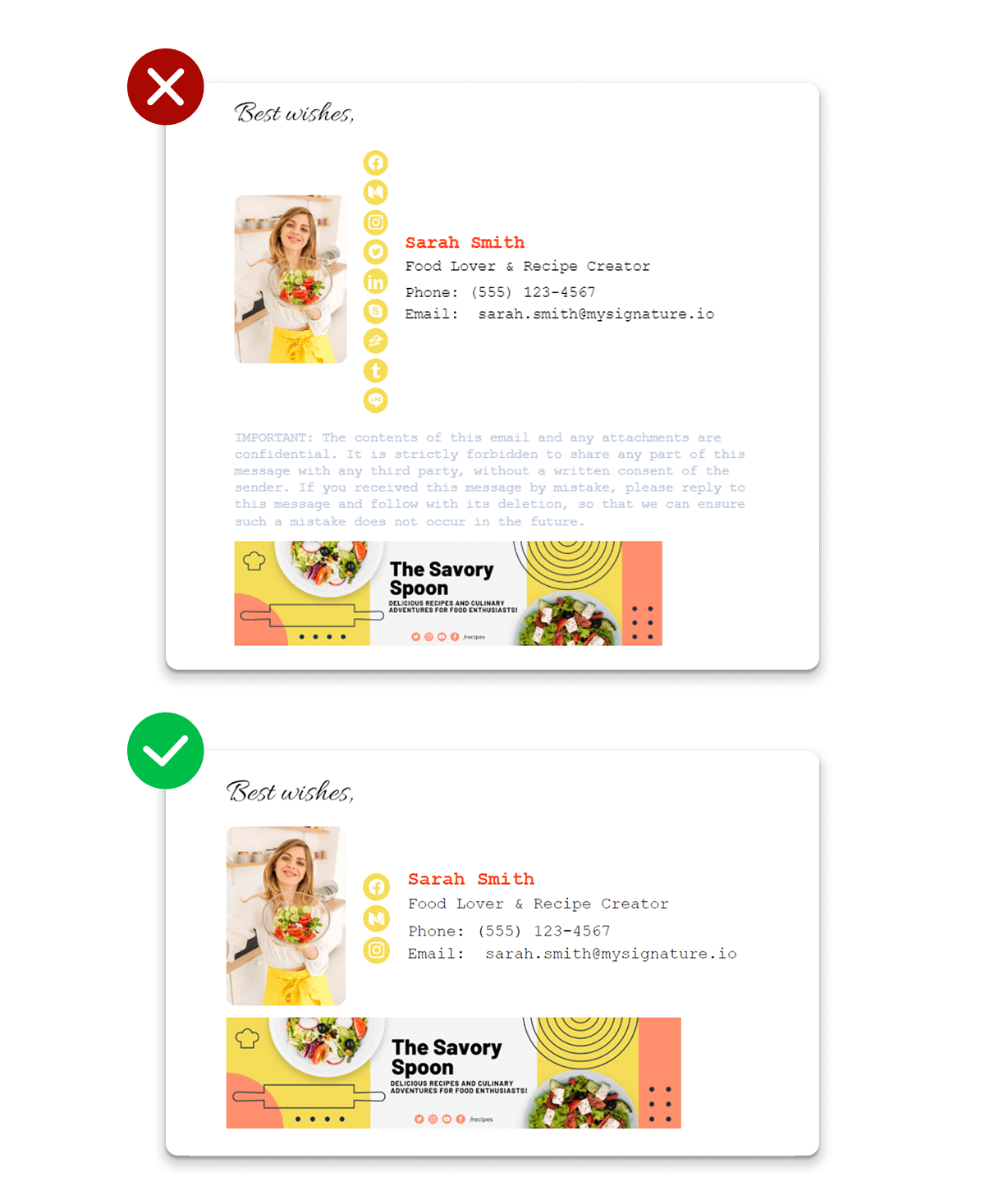
Better approach: Match the link to the purpose of the conversation.
- Sales teams often link to a meeting scheduler.
- A marketer may highlight a guide, webinar, or campaign page.
- Support teams might want to provide a help center link.
Choose one destination that helps the person reading it take the next logical step.
Personal or Irrelevant Information
An email signature should function like a concise digital business card. When it contains personal quotes, unrelated slogans, or extra personal info, the message loses focus.
What belongs in the signature is simple: details that help someone connect with you or understand your role.
Keep the signature centered on:
- The sender’s name and job title
- Clear professional contact details
- Relevant company overview
Anything outside that scope usually creates noise rather than value.
Inconsistent Branding
When each employee designs their own signature, branding quickly becomes fragmented. Different font styles, colors, or missing logos create an inconsistent look across all digital conversations.
A standardized company email signature avoids that problem.
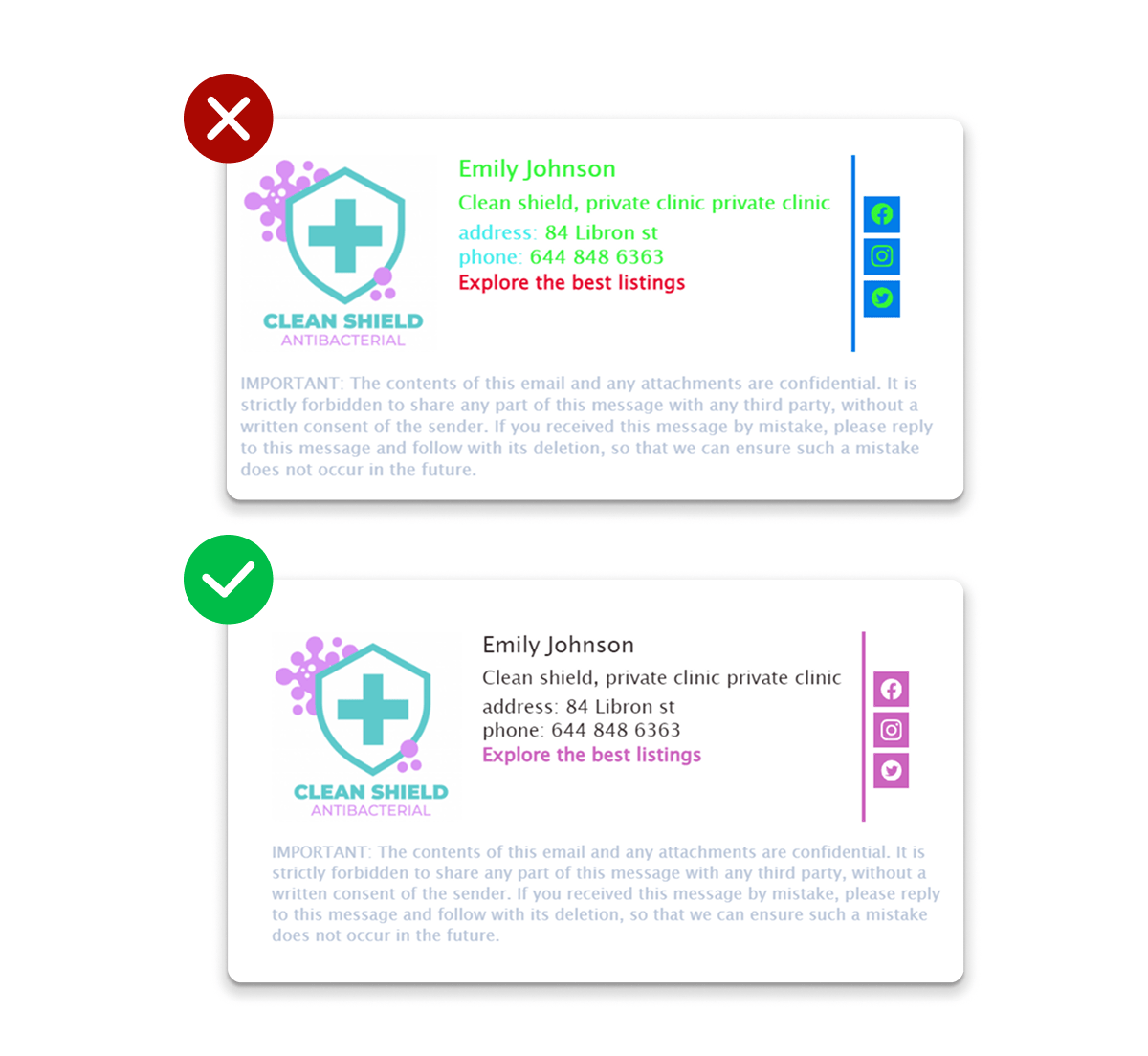
Tip: Implement shared email signature standards or email signature templates so every message keeps the same style, layout, and visual structure.
Missing Legal Disclaimers
For some organizations, signatures must include regulatory or privacy notices. Without the proper message disclosures, companies may overlook requirements related to privacy, GDPR, HIPAA, or broader security and compliance policies.
Tip: Find more best practices, actionable tips, and more in our email signature guides.
How to Manage Email Signatures at Scale
Creating one strong sign-off is manageable. Updating them for an entire company, though?.. It’s an entirely different matter.
Once dozens of employees are involved, small differences quickly appear. To maintain consistent standards across all email, many organizations rely on dedicated marketing tools.
Manual Email Signature Setup
For small teams, signatures are often configured directly inside the digital mailing client.
Typical setup looks like this:
- Open the signature settings in Microsoft Outlook, Apple Mail, or another platform.
- Paste the prepared signature block into the built-in email signature editor.
- Format the layout, insert the company logomark, and check that links are clickable.
- Save the file as the default signature for new emails and replies.
This method works when only a few people need signatures. As teams grow, keeping everyone aligned with the same style becomes harder.
Email Signature Management Software
This is where email signature tools become useful. Instead of asking each employee to edit their own signature, a centralized platform allows you to create and distribute a standardized version automatically.
Most systems rely on a simple workflow:
- Choose a platform that helps you create and manage signatures centrally.
- Design a template that reflects your company’s identity and layout standards.
- Connect the tool to your company mailing environment.
- Deploy the updated signature to all users at once.
With the right setup, teams can create a professional signature once and apply it instantly across the organization.
Benefits of Centralized Email Signature Control
Centralized management solves problems that manual updates can’t handle at scale. A unified system ensures every company electronic mail signature follows the same structure and remains easy to update.
Key advantages include:
- Brand consistency across the organization, ensuring every email reflects the same image and style
- Quick updates to legal fine print, GDPR notices, or other security and compliance requirements without relying on employees to change their signatures manually
- The ability to run coordinated campaigns using banners or CTA links tied to email marketing and lead generation
- Built-in email tracking and performance monitoring, helping teams measure engagement with signature links or campaigns
For companies sending thousands of messages every week, centralized control turns a small signature block into a clear and steady communication and branding tool.

Email Signatures as Part of Professional Communication
An email signature sits at the bottom of every message you send, and most people treat it as an afterthought. That tiny space carries real weight. It tells the reader who the sender is, shares professional reach-out details, reinforces how the company presents itself, and can even support marketing campaigns, lead generation, and compliance requirements.
The tricky part is keeping signatures consistent across all email, especially once a team grows beyond a handful of people.
MySignature’s email signature generator simplifies that process. It helps teams create a professional signature, maintain well-aligned email signature designs, and update them without manual edits.
If your current signature looks improvised, try the free email signature generator from MySignature and build one that works in every inbox.