Last Updated on 13.03.2026 by Vasyl Holiney
Email continues to act as the primary entry into the digital realm of a company. Inboxes receive contracts and invoices, internal communication, passwords, and data on clients every day. There is a cost associated with that convenience. Cyberattacks that are successful, as per several reports within the industry start with an email and more than 90 percent. This means that email security is not a technical issue, but rather a corporate concern.
The following are the effective and best practices to ensure that email security is obeyed by all companies irrespective of their scale or business sector. It is about basic activities, direct rules, and practices that are, in fact, effective.
Key Takeaways
👉 Email remains the main entry point for cyberattacks, which makes email security a company-wide responsibility, not just an IT task.
👉 Strong passwords and multi-factor authentication dramatically reduce the risk of unauthorized access to corporate email accounts.
👉 Employee awareness is one of the most effective defenses—regular phishing training helps prevent costly mistakes.
👉 Standardized email signatures with clear disclaimers improve compliance and protect sensitive communication.
👉 Email encryption, spam filtering, and domain protections like SPF, DKIM, and DMARC help block phishing and spoofing attempts.
Use Good and Special Passwords
The first line of defense is the passwords. Email accounts with weak or reused passwords are easy to brute force and using credential stuffing.
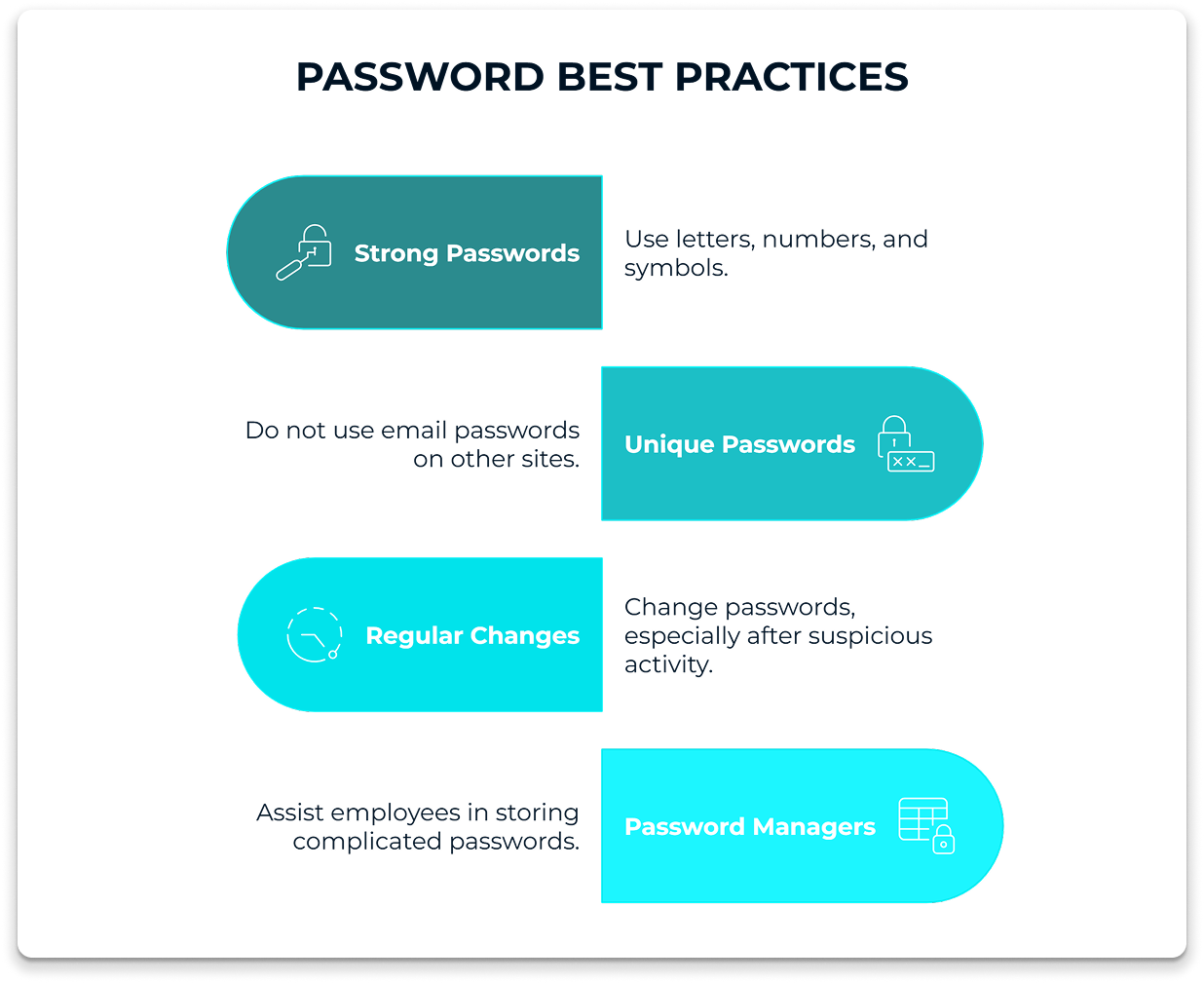
Best practices include:
- Make use of passwords containing letters, numbers and symbols.
- Always do not use email passwords in other sites.
- Always change passwords, and particularly, after any suspicious activity.
- Password Managers can assist employees in storing complicated passwords without even writing those down and re-using them.
Multi-Factor Authentication (MFA) should be enabled
Powerful passwords may be stolen. Multi-factor authentication will be an additional step, like a code dispatched to a phone or a biometric scan.
MFA-based companies minimize the chances of account compromise by over 99%. This alone environment prevents the majority of automated attacks and numerous phishing sites.
MFA should be mandatory for:
- Corporate email accounts
- Admin and executive mail boxes.
- Email system access remotely.
Enlighten Workers on how to detect threats
It is not a question of technology. Emails are emails that the employees pass throughout the day, and hence, they are an important element of email security.
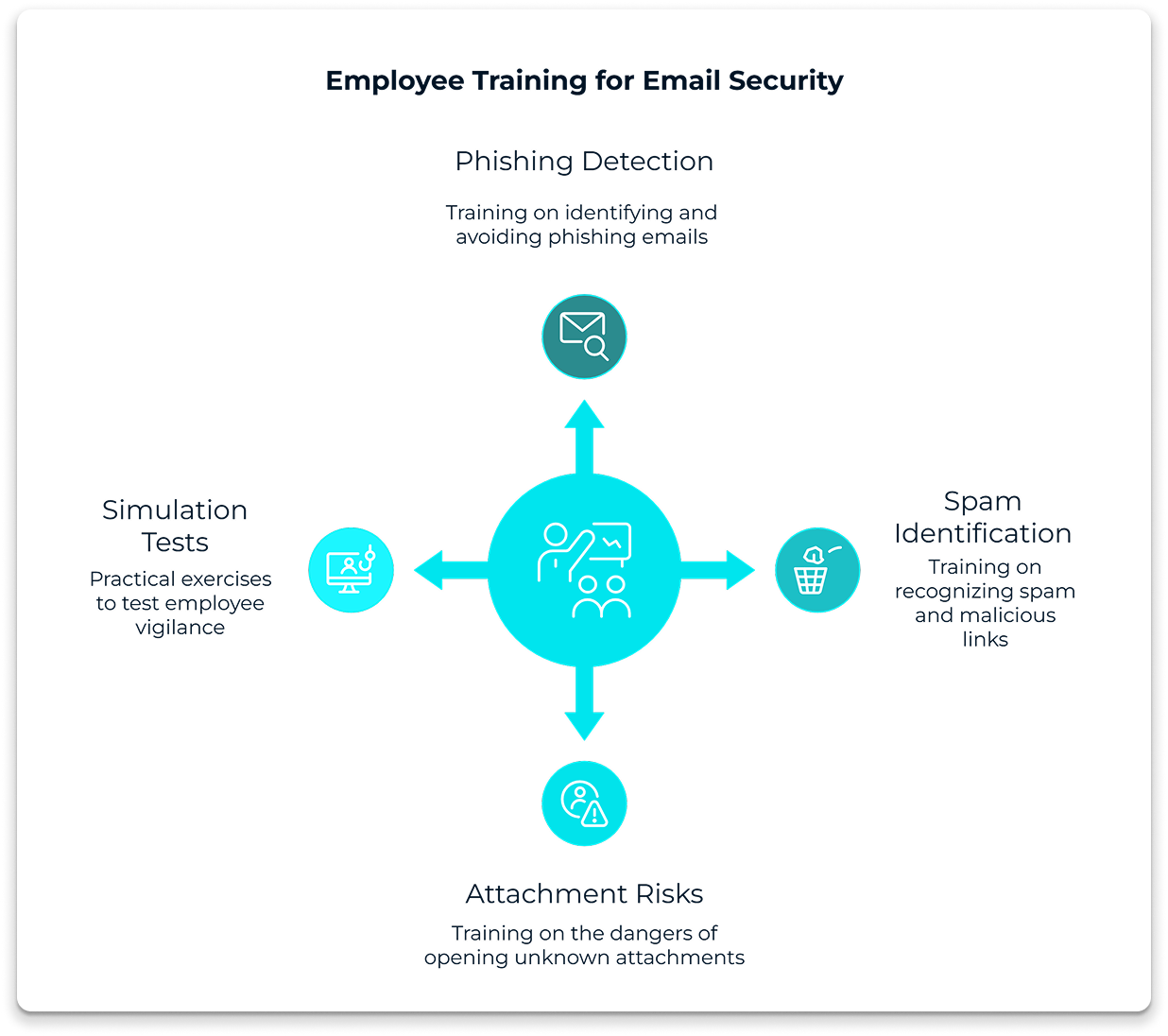
Training should cover:
- How to spot phishing emails
- The most frequent indicators of spam mailers and malicious links.
- The risks of opening attachments of unknown origin.
Regular training sessions that are short are more effective than long and one-time training sessions. Employees can also learn through simulation phishing tests.
Secure Emails by Encryption
With encryption, emails will not be decipherable in case they are intercepted. This is particularly necessary when the employees are working at home or in a shared Wi-Fi network.
Email encryption protects:
- Message content
- Attachments
- Login credentials
A VPN can add an extra layer of protection by encrypting the internet connection itself. Using a trusted VPN service like VeePN helps secure email traffic, especially when accessing corporate mail from outside the office. VeePN reduces the risk of data leaks caused by unsecured networks.
Block Spam and Spoof Emails
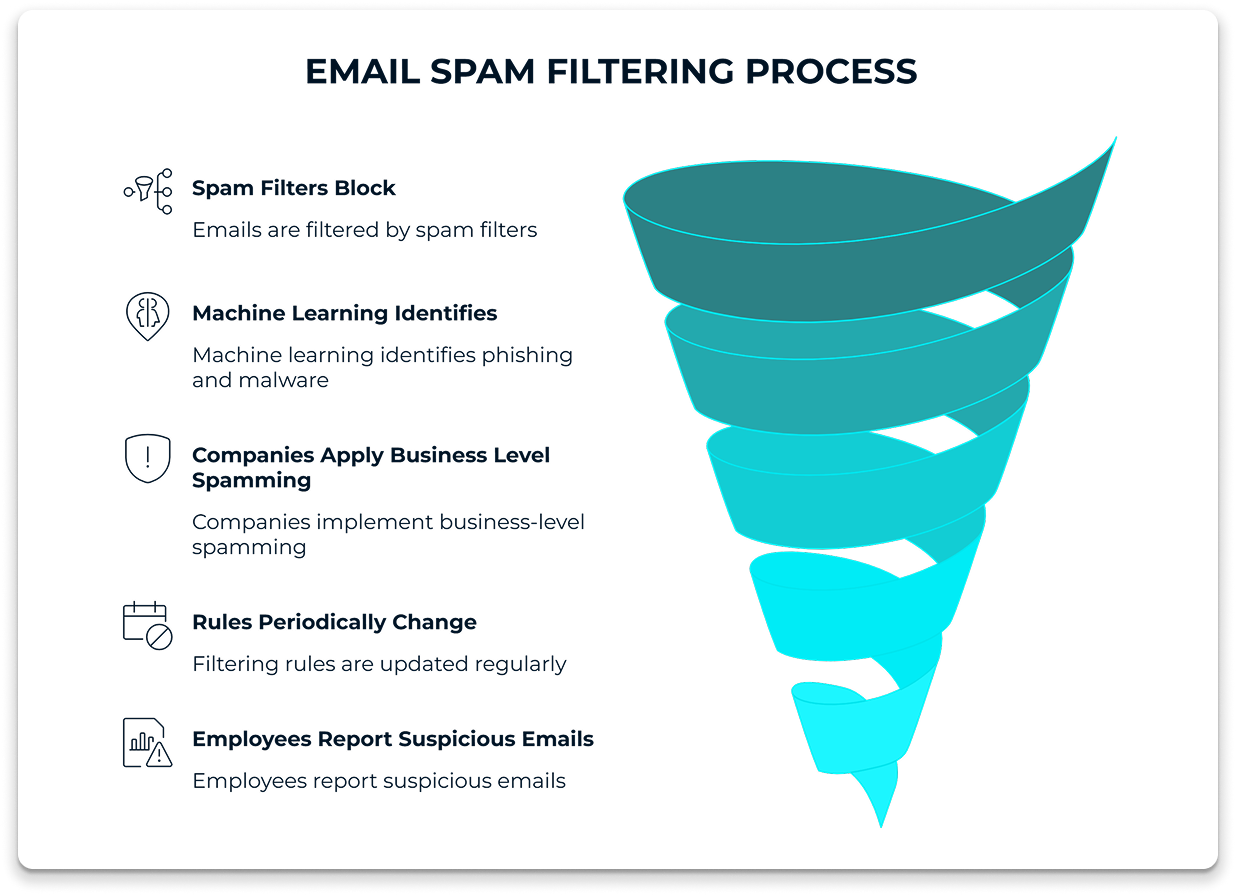
Before the unwanted and harmful messages get to the inboxes, spam filters block them. Machine learning is applied in modern filters to identify phishing, malware, and spoofed mail.
Companies should:
Apply business level spamming.
- Periodically change filtering rules.
- Provide the employees with an option of reporting suspicious emails.
- Filtering minimizes the number of hits and decreases the possibility of a user committing an expensive error.
Verify Senders and Domains
One of the tricks used is email spoofing in which attackers pose as trusted senders. This is prevented with domain-based protections.
Key standards include:
- SPF (Sender Policy Framework)
- DKIM (DomainKeys Identified Mail)
- Domain-based Message Authentication (DMARC).
These mechanisms ensure that emails are sent by servers which are approved. They also greatly decrease the attacks of impersonation when properly configured.
Use Email Signature Disclaimers for Compliance and Awareness
Email signatures are often overlooked in security discussions, yet they can play an important role in protecting both companies and recipients.
A well-designed email disclaimer reminds recipients about confidentiality and proper handling of information. It also helps clarify that the message is intended only for the addressed recipient and should not be distributed without permission.
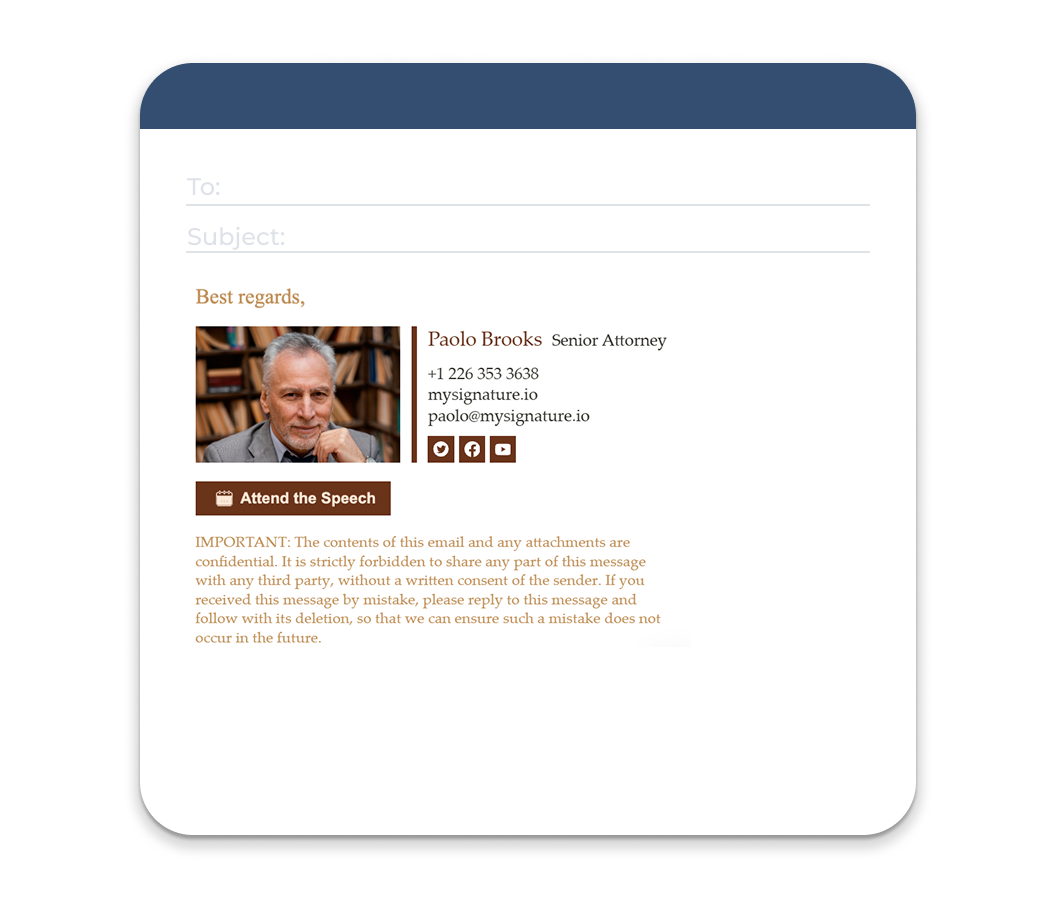
Common email disclaimer elements include:
- Confidentiality notices
- Legal liability statements
- Virus transmission disclaimers
- Privacy or compliance references (GDPR, HIPAA, etc.)
For organizations sending large volumes of email, managing disclaimers manually can be inconsistent. Email signature management tools such as MySignature help companies automatically apply standardized signatures and disclaimers across the entire team. This ensures that every email sent by employees includes the correct legal notice, brand identity, and contact information without relying on individual users to configure it themselves.
Centralized email signature management also helps maintain consistency, prevent outdated contact details, and ensure compliance across departments.
Restrict the Access and the Principle of Least Privilege
All employees do not require all email features and data. Having restrictions will lessen the destruction in the event of account theft.
Best practices:
- Limit access to administration to few.
- Personal and corporate use of emails, separately.
- The same at the point of departure of employees; disable the accounts.
- This strategy is threatening and makes the process of incident response easier.
Don’t Trust Attachments and Links
Delivery of malware can often be done by attachments. The links are frequently redirected towards the bogus login pages or the malware sites.
Rules to follow:
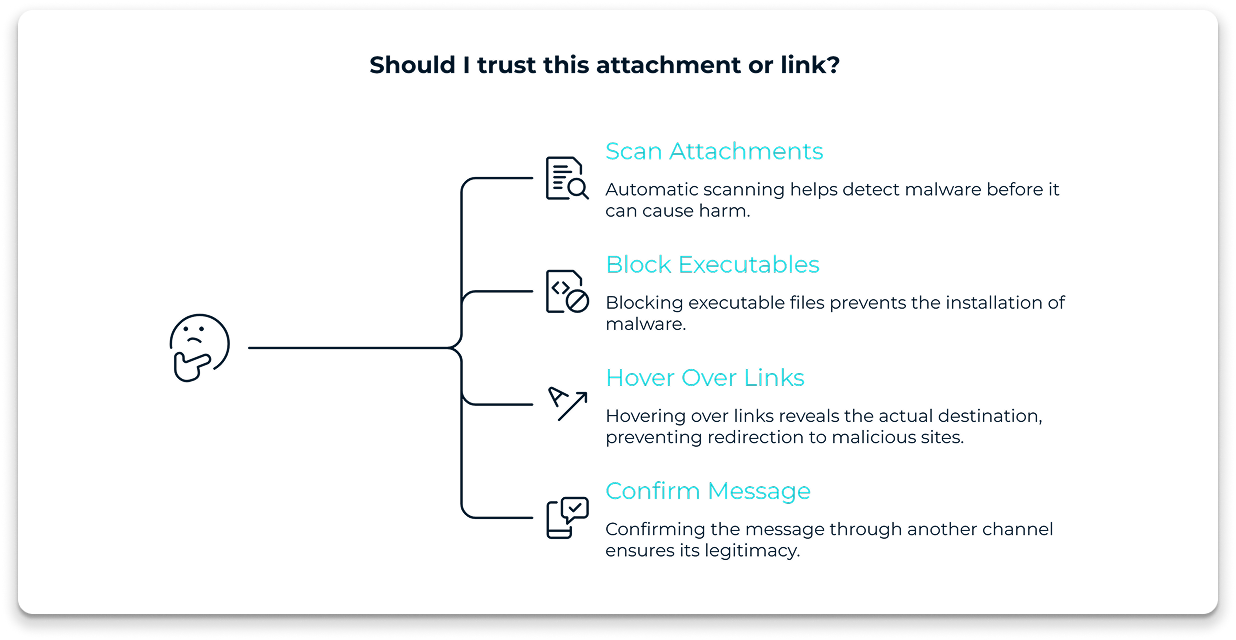
- Automatic scan of attachments.
- Block executable file types
- The employees should be encouraged to hover over the links before clicking.
To be on the safe side, the employee is advised to confirm the message by another communication means like a phone call or a chat within the organization. Another safeguard is a browser-based VDI replacement, which isolates web sessions to prevent malicious links from reaching the local network.
Develop a Clear Email Security Policy
Policies bring order and uniformity. Having an explicit email security policy informs the employees what they can do or cannot.
It should cover:
- Password rules
- Acceptable use of email
- Communication of suspicious messages.
- The policies must be readable and updated whenever the threats change.
Maintain Email Software and Servers
Old email software poses non-verbal threats. Attackers usually take advantage of vulnerabilities which are known and have a fix. When they do not update the systems, they leave those weaknesses open.
Companies should:
- Automate email client and server updates.
- Install security patches immediately after release.
- Eliminate or discard incompatible software.
Statistics indicate that more than 60 percent of breaches consist of systems that are not patched. Frequent updates seal typical attack paths and enhance stability in general. This is among the easiest email security measures although it is not a priority.
Periodic Security Audits
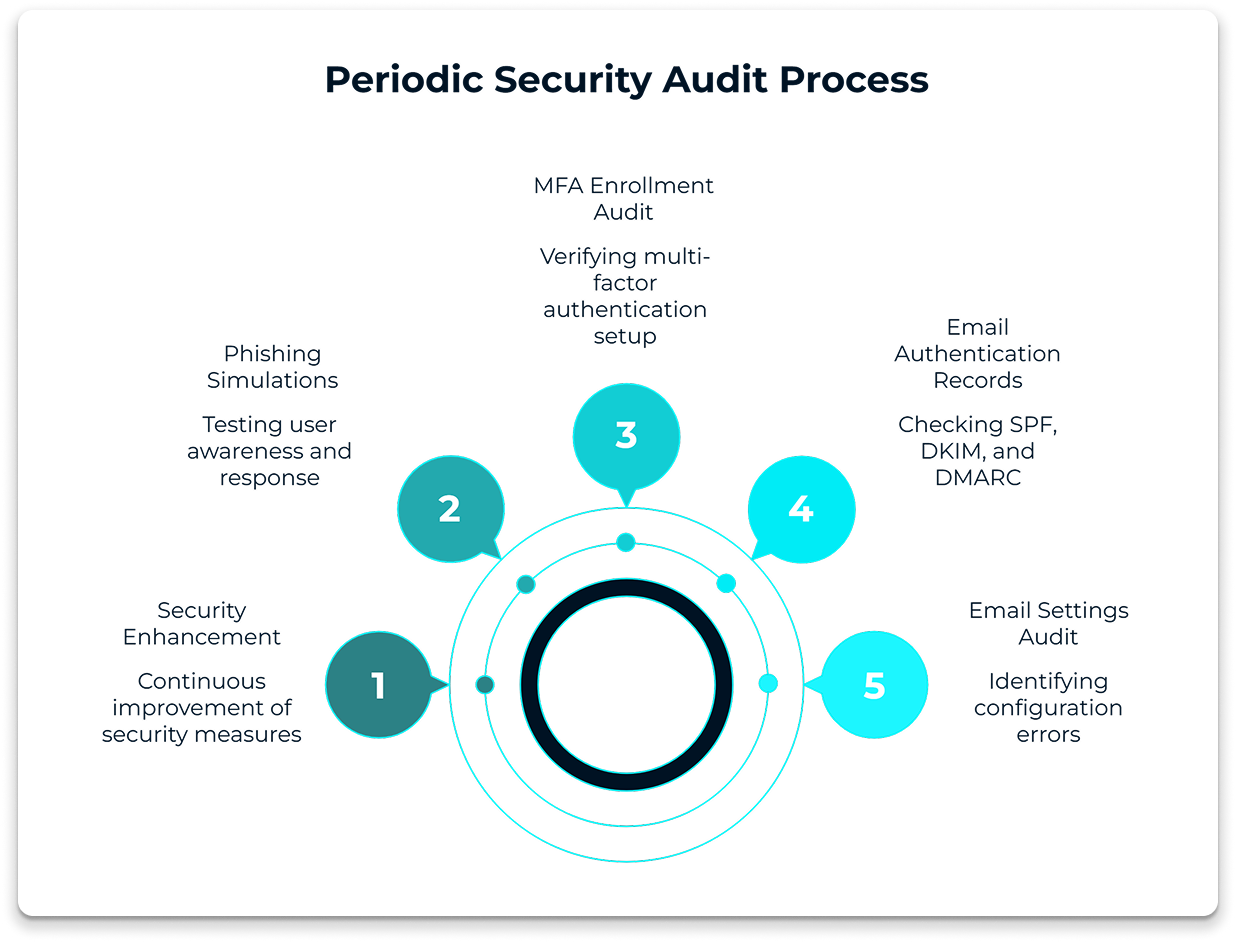
Check your email settings regularly. Find configuration errors and expired certificates. Check SPF, DKIM and DMARC records and set them accordingly as your infrastructure evolves. Audit user, and MFA enrollment. Make simulated phishing, and results, to enhance training, policies and technical defenses. Repeat; there is no one activity in security, but a cyclic process of enhancement. Findings in documents and transferring information to all employees as early as possible so as to be transparent and trust at all times.
Develop an Incident Response Plan
In spite of the powerful protection, incidents may occur. The response plan will make a speedy and systematic response.
The plan should define:
- Who to notify
- Isolating affected accounts.
- Reverse response and communication steps.
- Ready companies heal quicker and have fewer court and reputational issues.
Final Thoughts
Security of emails is not a tool or a rule. It consists of a combination of habits, technology, and awareness. These email security best practices can help companies decrease risk, ensure the safety of sensitive data, and gain trust among clients and partners.
Minor changes, implemented on a regular basis, change something. Email security is no longer a luxury in the modern security environment. It is essential.